
Fixed balance adjustments can be used for balance events that should affect all/a group of employees. For example, this could be a balance that should be reset at each year-end.

You can set a balance to be adjusted or set.
Adjust means to add to or deduct from the existing balance.
Set means to overwrite the existing value.
All saved rows for fixed balance adjustments are being calculated. This means the same balance can be affected multiple times if there are overlapping settings. Using the blue arrows on the left, you can set the order.
Example
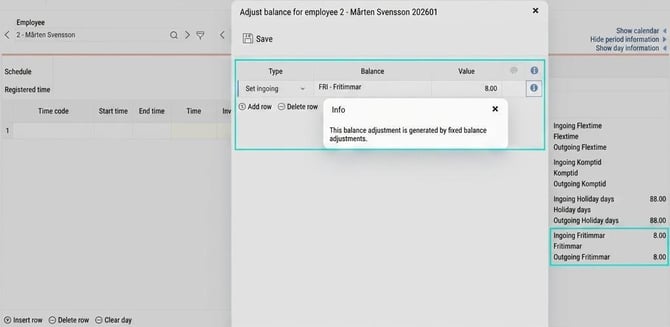
In the example in the image below, we have a balance for Free hours. The employees will have a balance of 8 hours that they can use during the year. On the first of January each year, the value is set to 8.

Employee 2 ends 2025 with 3.5 hours in the Free hours balance.
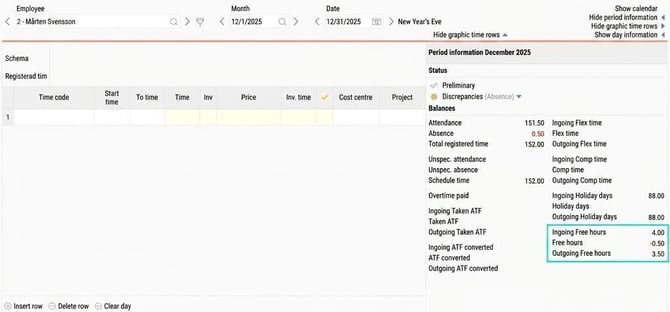
In the time report for January 2026, the balance is set to 8. The adjustment is visible in the popup Adjust balances (More > Adjust balances).
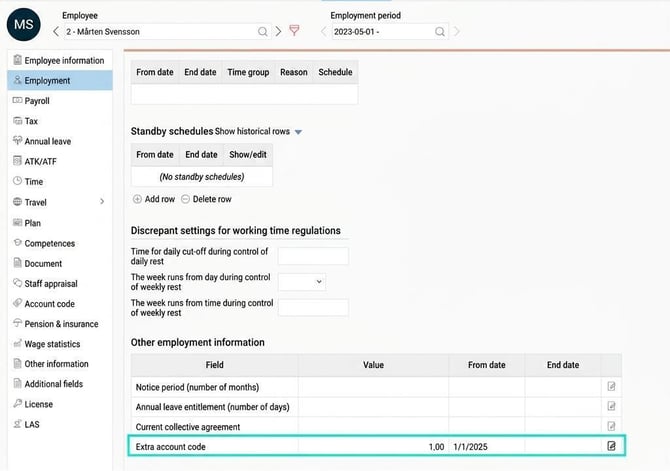
Permanent balance adjustment according to additional field in the employee register
Valet According to additional field can be used in companies that have a licence for HRM Employee. Only additional fields with numeric field type. With this function, balances are adjusted/set based on a specified value in the employee register, which may differ for each person.
Example
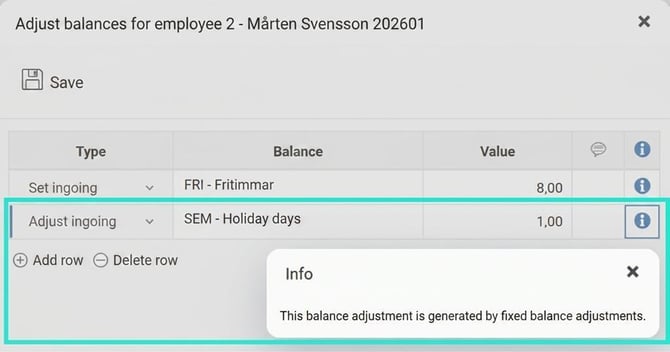
The fixed balance adjustment is set so that the first period every year checks the value “Extra annual leave day” in the employee register and adjusts the vacation balance accordingly.

Employees without a value in the “Extra annual leave day” field will not be affected. Employee 2 has value 1, which means his vacation balance gets an extra day in January.
In companies with home country Norway or Denmark, you can also use age to specify who should be affected by a fixed balance adjustment. Age is calculated from year of birth, not exact date. If age is set to 60, you get everyone who has turned 60 or will turn 60 during the present year.
In companies with home country Denmark, the option Fields in the personal register is available, which retrieves individual values for each employee. The value is specified under Employees > Time: Value for permanent balance adjustment. It is often used to adjust the number of vacation days at the employment level.
Tip
Also read about balance roof/floor which can be used to set a roof and/or floor for balances, and specify what happens if you go above the roof/below the floor. This is used, for example, if the flex balance should be limited at -10, and then deducted from the comp balance.
Please note: This article is AI-translated. This means that linguistic errors or misunderstandings may occur.