
If you report by period, you may have the option to mark rows in the time report as favourite rows to make it easier to register the same thing later.
By default, favourites are not used. If favourites are activated, there is a setting for whether they should be imported automatically for each new period or if the user should retrieve them manually. These settings need to be configured by the HRM administrator.
In the time report, click in the field under the star to mark a row as a favourite. Click in the field again to remove the row as a favourite.
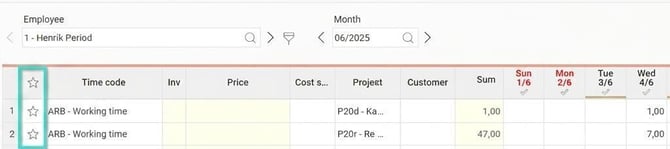
If you have set favourites to be imported with a new period, those rows will automatically appear in the time report for each new period.
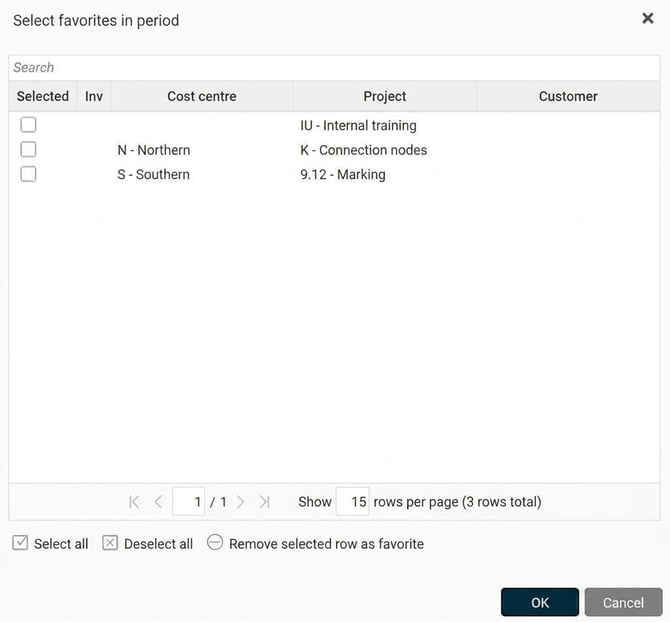
If you have set favourites to be imported manually, click on Favorites in the menu and a view will open where you can choose which favourite rows you want to insert.

|
|
Tip
There is also a favourite function in the allowances view to make it easier to register recurring allowances. Read more in this article: How are Favorites used in Allowances?
Please note: This article is AI-translated. This means that linguistic errors or misunderstandings may occur.