
Most amounts and checkboxes that are to be reported in the PAYE return go via the accumulators. To direct the value of the accumulator to the correct field in the report, there are settings for each accumulator. You can find these settings under Administration > Settings > Payroll > Accumulators.
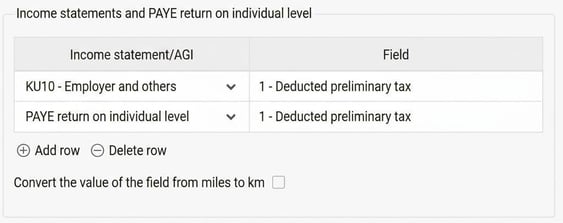
To direct an accumulator to a field in the PAYE return on individual level, enter one row with the wanted field number for PAYE return on individual level. In the example below, it is the accumulator for tax that is directed to field 1, in the same way as the earlier income statements.
Related articles:

How do I find the cause of discrepancies in employer's contributions (AGI) in Flex HRM Payroll?

How do I process the PAYE return on individual level in Flex HRM Payroll?
Please note: This article is AI-translated. This means that linguistic errors or misunderstandings may occur.