
Manage payroll debt that cannot be settled (repayment)
If, as an employer, you are unable to resolve a payroll debt by deduction from a later payment, you can request repayment of the incorrect amount from the employee.
In these cases, you must request repayment of the incorrect gross amount. This includes both the net amount paid to the employee and the tax amount paid to the Tax Agency. This is because the employer does not have the right to reclaim incorrectly paid tax directly in the PAYE return on individual level (AGI) system.
Correct information to the Tax Agency
When reclaiming, you should also:
-
Amend the reported information to the Tax Agency.
-
Request a review of the employer's contributions decision.
If the correction is made in a later year (after the employee has already been taxed for the payment), the employee must themselves request a review of their personal tax return.
Example 1: An employee has left and the full salary must be repaid (gross debt)
An employee receives their monthly salary paid out in February. It later turns out the person has already left without the payroll department being informed, so the entire salary (including the tax) must be repaid.
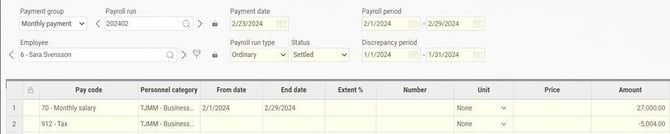
Proceed as follows: In this example, the monthly salary was paid out in the ordinary payroll run and reported in the PAYE return (AGI).

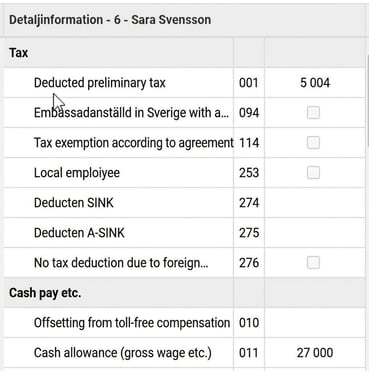
To correct this, do the following:
-
Go to Payroll > AGI
-
Remove the verification mark on the relevant AGI period.
-
Create an extra payroll run to correct the reporting. The extra run must have a Payment date within the same month as the incorrect payment was made.
-
Enter the pay code that was incorrectly paid out with a minus sign in the extra run (for example, pay code 70 Monthly salary).

-
Since the tax cannot be corrected, do not add any row for tax. The gross wage will thus be a negative amount and the tax will be zero.
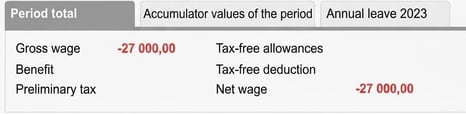
-
Check in the AGI data that the gross wage and employer’s contributions have been zeroed, and that the tax remains unchanged compared to the earlier reporting.

-
When everything looks correct, reconcile the extra payroll run.
-
Mark the AGI data as verified and create the correction file to send to the Tax Agency.
Example 2: Debt during leave of absence (both delayed and current deduction in the same payroll run, gross debt arises)
When an employee is on leave of absence for a longer period, it can be a good idea to make the deduction already for the current month. If this is not done immediately, a debt can arise in the payroll run when both the delayed and the current deduction are registered at the same time.


Proceed as follows: Since you cannot report a negative wage in AGI, you need to zero the debt in the payroll process:
-
Check the outgoing debt (the period's net wage) under Period total.
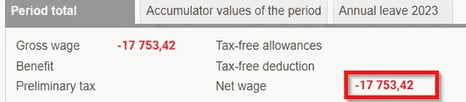
-
Enter a pay code for Gross debt to next salary with the corresponding amount in positive. This zeros the AGI data and the employee disappears from the data.

Sample pay code setting: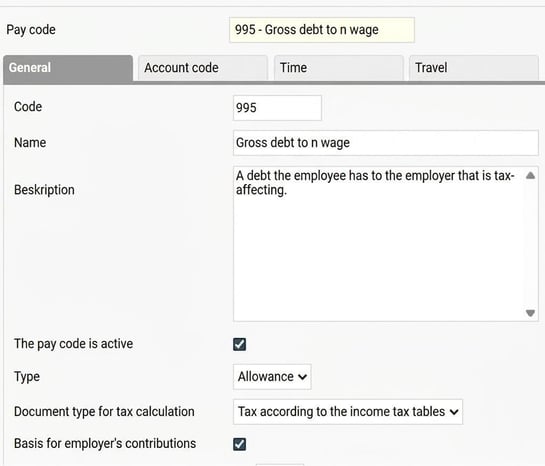
If you want the debt amount to be posted to accounting, the pay code also needs to be set to send to accounting with the correct account code.
-
For the debt to be included in the next payroll run, you need to create a fixed transaction in the Employee register via Personnel > Employees > [Select person] > Fixed transactions. Use a pay code for Gross debt from previous salary and specify the debt amount with a minus sign.

Sample pay code setting: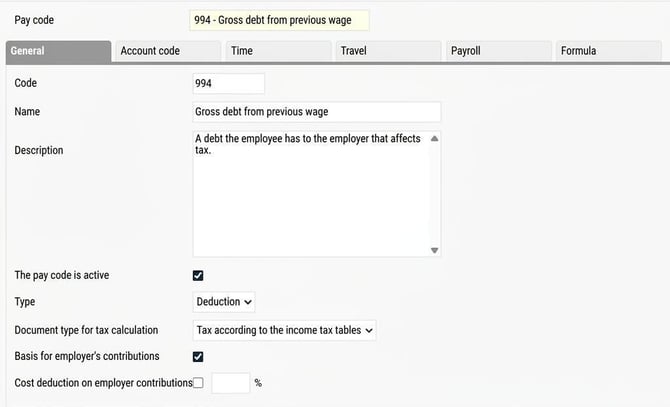
Note: You need to do this for each month the debt remains, using the current debt amount, until the debt can be settled against a future salary payment.
For net debt (debts arising from non-taxable allowances/deductions), pay codes for Net debt are used instead.
Sample pay code settings:
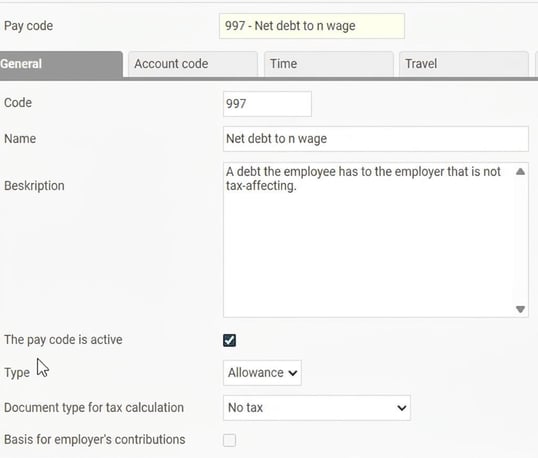
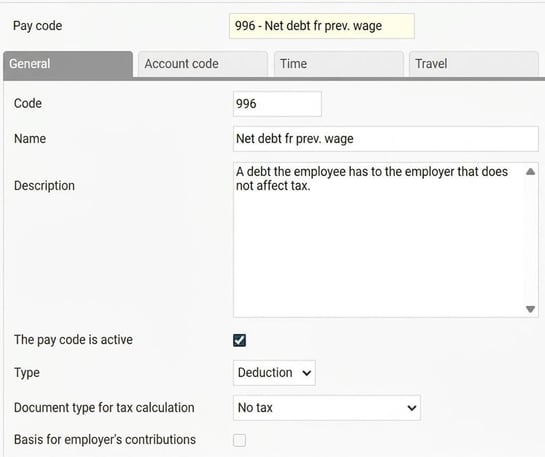
Simplified handling of payroll debts in the payroll process
From 2026-05-01, you can use simplified handling of payroll debts in HRM Payroll. By making a few settings, the system can automatically add pay codes for debt, saving time and reducing the risk of errors.
Please note: This article is AI-translated. This means that linguistic errors or misunderstandings may occur.