
Import car trips into a travel expense claim
Follow these steps to import car trips from a file into your travel expense claim:
-
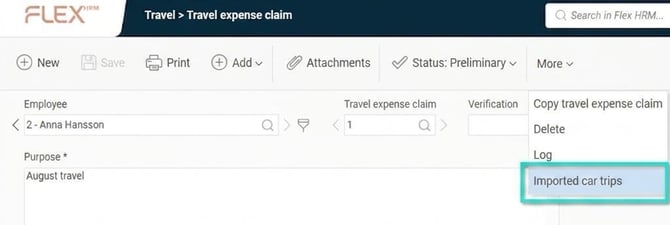
Click on More and then Imported car trips.
-
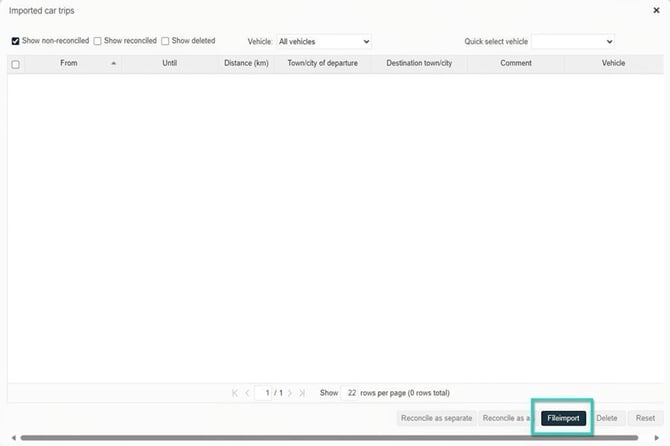
The window that opens displays the car trips that have not been reconciled.
- To import new car trips, click the button Fileimport.
-
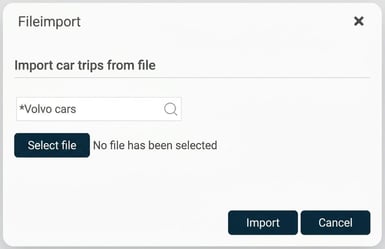
Select the import you want to use and click Select file to upload the file you want to import.
-
Click on Import.
Once the import is finished, the new car trips appear in the window. If the registration number is not included in the file, select which vehicle was used for the trips. You can also use Speed dial car to select a car for all trips at the same time. Then choose which car trips you want to reconcile on the travel expense claim.
You can choose to reconcile all selected trips as separate car trips, or as a single car trip on the travel expense claim. If you reconcile them as one trip, all destinations will be added as locations along the route and the distance will be summed.
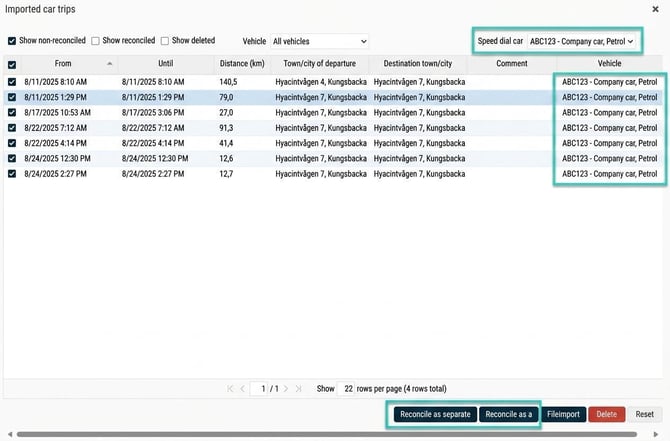
When the reconciliation is complete, the new car trips appear in your travel expense claim.

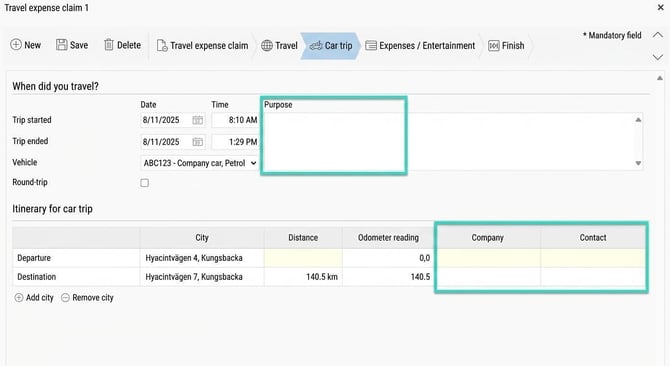
If required, I can edit the trips and add, for example, purpose, company, or contact person.
Remove loaded transactions
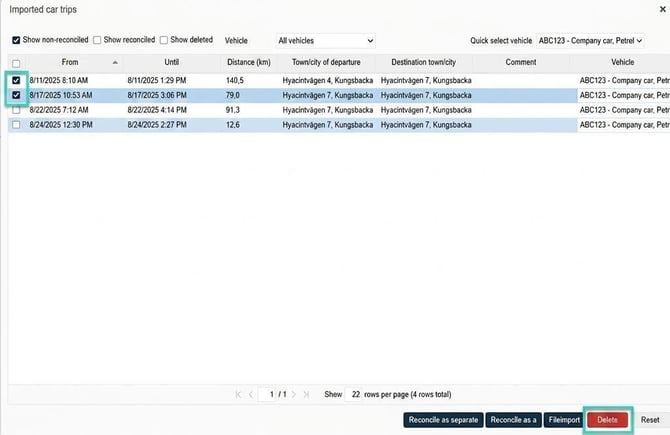
If I have loaded car trips that I should not report or claim allowance for, I can choose to remove them from the list.
Select the trips to be removed and click the “Remove” button
View/retrieve deleted car trips
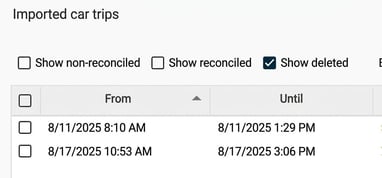
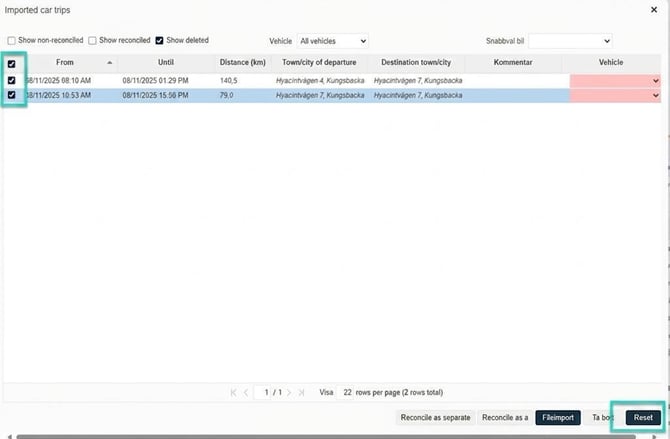
If I want to see which trips have been deleted, I can tick “Show deleted”. Here I can also restore deleted trips.
Tick Show deleted
Mark the trips I want to restore and click “Reset”
Tip! Do you want to read about how to set up an import template for importing trip logs? Click here
Please note: This article is AI-translated. This means that linguistic errors or misunderstandings may occur.