
Here we describe the settings that need to be made in order to reject time reports. If you want to learn how to actually reject them, we recommend this article: How do you reject time reports?
Reject time report - settings
There is an option to reject an audited time report and write a comment to the employee about what needs to be corrected.
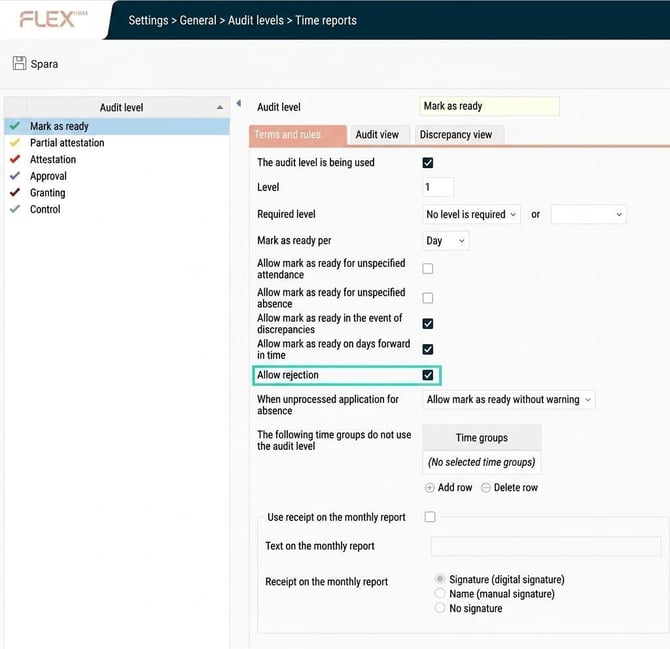
You choose which status you want to allow rejection for. For example, you may want a day to be rejected when it is submitted but not when it is approved. You do this by selecting Allow rejection at the relevant audit level under Audit level settings for Time reports.
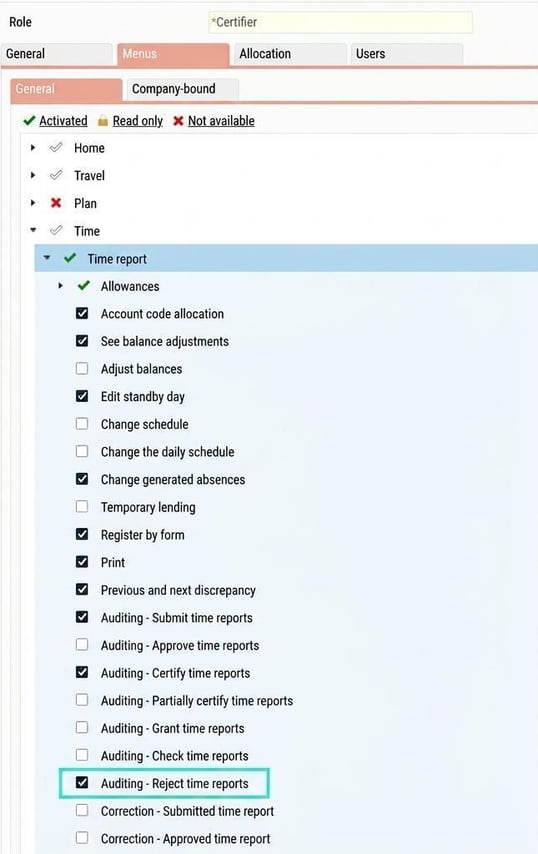
You set the authority to reject under the relevant role in Users/Authorities > Roles. The setting can be found under the node Time > Time report and is called Auditing - Reject time reports.
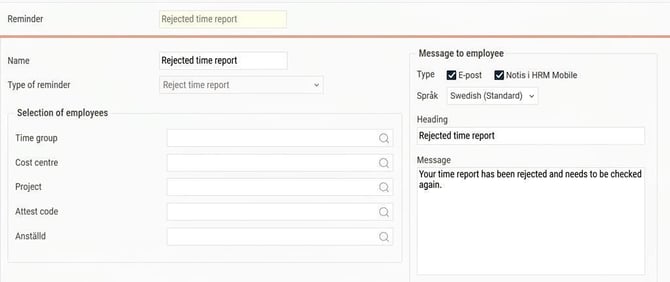
You can also send a reminder to the employee if a day or period has been rejected. Under Reminders you set it up in the same way as other reminders and choose whether it should be sent by email and/or notification in HRM Mobile.
Please note: This article is AI-translated. This means that linguistic errors or misunderstandings may occur.