
Details at individual level


Pay rise


Pay code settings
Details at individual level
In the employee register, under the Wage statistics folder, you specify whether the employee should be classified as Employees or Other according to the SCB's guidelines for the business cycle statistics. Depending on your overall settings, you will see different options for personnel category in the employment register.
SCB: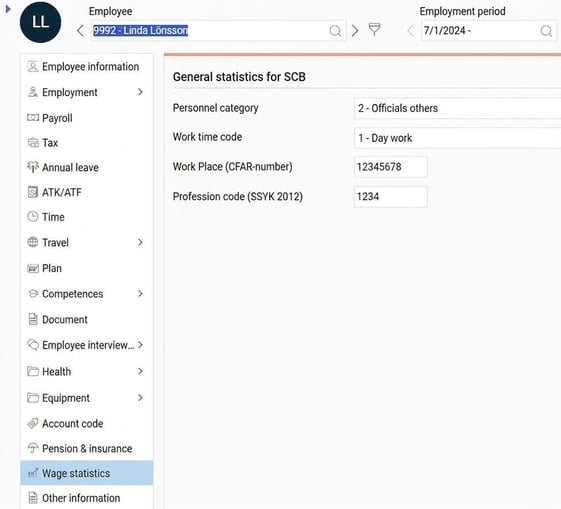
Svenskt Näringsliv: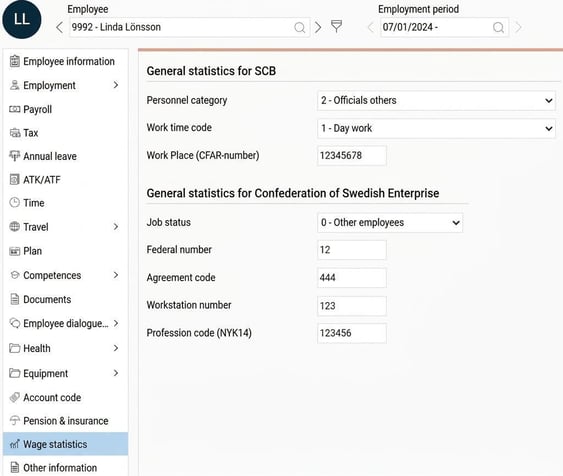
Sobona: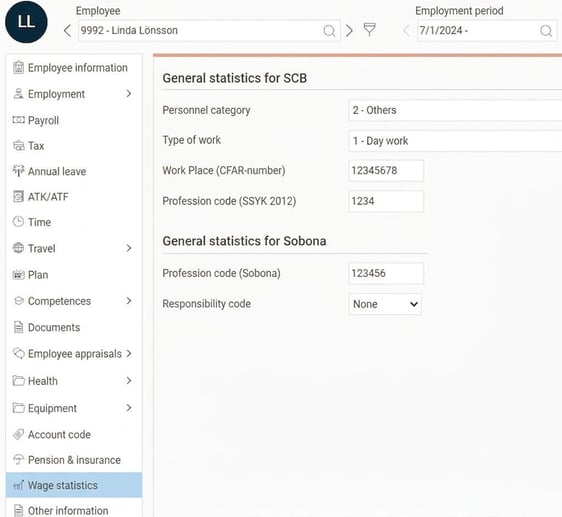
Pay rise
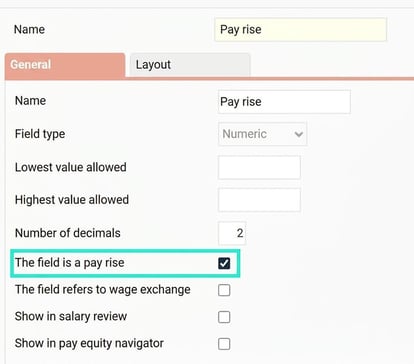
In order to report the agreed monthly salary, including fixed increments, we need to know which fixed pay rises are used in the company. To do this, we use additional fields which are defined under Settings > Personnel > Employee register - additional fields.
For every field that should be counted as a pay rise, tick the setting "The field is a pay rise". If you have several fields for pay rises, tick them all.
Pay code settings
To be able to differentiate between various allowances and hours, you need to specify for each pay code how it should be reported in the business cycle statistics. This is controlled with a number of check boxes, which you will find in Pay code register >Payroll folder
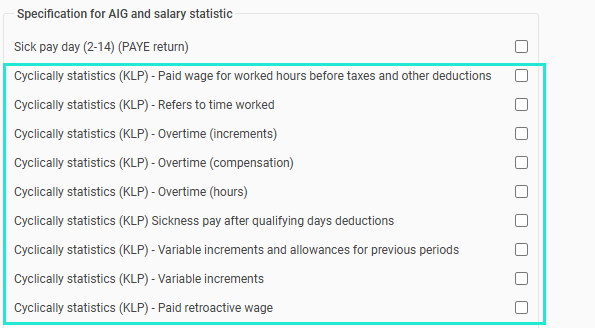
The following applies to each check box:
- Paid wage for hours worked before tax and other deductions
Used for the summary of wage for worked time regarding hourly paid employees. Read the instruction from SCB for more information on what should be included. - Refers to worked time
Used to sum the number of hours worked. Applies to both employees and officials. - Overtime (supplement)
Applies to hourly paid employees in order to separate overtime supplement from worked time wage. - Overtime (allowance)
Applies to monthly paid workers and officials who receive overtime allowance, including the basic wage and overtime supplement. The basic wage is then deducted for the reporting of overtime supplement. - Overtime (hours)
Used to sum the number of overtime hours. Applies to both employees and officials. - Sick pay after qualifying deduction
Used for the summary of sick pay. If the contract grants sick pay for days 1 - 14 and then a qualifying deduction, both the pay code for sick pay and the qualifying deduction must be ticked. Applies to both employees and officials. - Variable increments and allowances concerning earlier periods
Used to sum variable increments that, due to time delay, cannot be reported at the time of earning. An example is long piecework and quarterly bonuses. - Variable increments
Used to sum variable increments for monthly paid workers and officials.
Please note that pay codes relating to overtime allowance or overtime supplement should not be marked as variable increments as they are already included. See the section on further information for all details. - Retroactive salary paid
Used to sum retroactive salary paid. The transaction date is used to report which period the retroactive salary refers to. Applies to both employees and officials.
Related articles:

Business cycle statistics, wages for the private sector (KLP) - How do I generate statistics for KLP in HRM Payroll?
Please note: This article is AI-translated. This means that linguistic errors or misunderstandings may occur.