

This function is not available in Flex HRM Payroll. As new salaries are available in HRM’s shared employee register as soon as you settle the new salary there is no need for this function.
Transfer new salaries to Flex Lön
Are you using Flex Lön (classic) as your payroll system? Then there is a function for transferring the new salaries directly. This allows you to skip manual steps in the salary review and start processing retro active pay in Flex Lön straight away.
Prerequisites
In order to transfer the new salaries, you need a connection to the FLEX API, which you configure under Administration > Settings > General > Program links.
If you are already able to view payslips from Flex Lön on the front page in Flex HRM, all settings are complete and you do not need to do anything extra. More information about these settings is available in a separate instruction for the integration between the systems.
How to transfer salaries
To transfer all settled new salaries, click on the Transfer to payroll button and then confirm your choice.
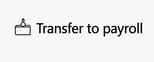
If you only want to transfer salaries for a selection of employees, you first need to filter the list. Make sure that only the employees you wish to transfer are shown in the list before you click on Transfer to payroll.
After the transfer
Once the transfer is complete, you will see the point in time and signature in the column Transferred to payroll. Click on the information icon to see more details.
Please note: This article is AI-translated. This means that linguistic errors or misunderstandings may occur.