
Report travel transactions
To report your travel transactions, first use the menu Travel and then Travel expense claim.
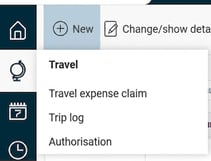
The system guides you step by step through the registration. Remember to save each transaction once you are finished.
Domestic
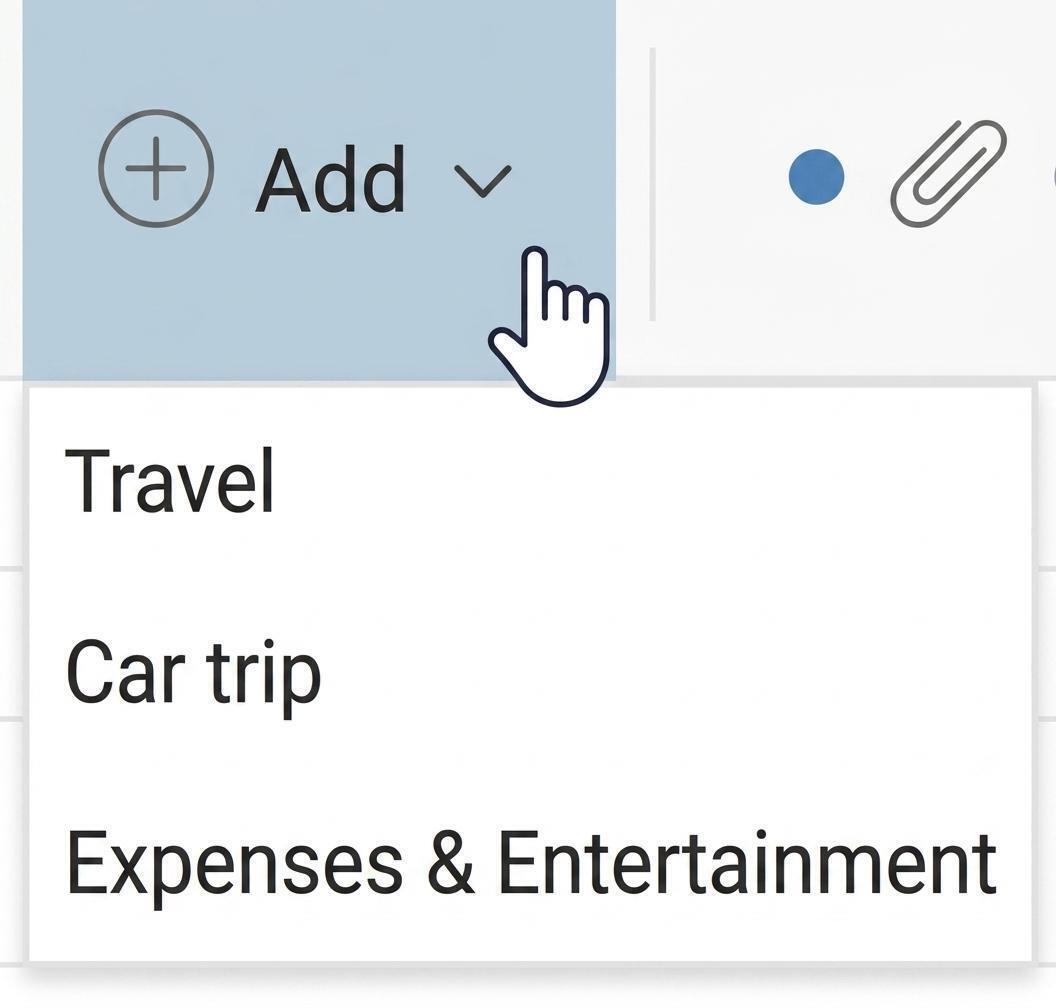
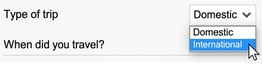
When you click Add and select Travel you are presented with a dialogue box. Select Domestic.
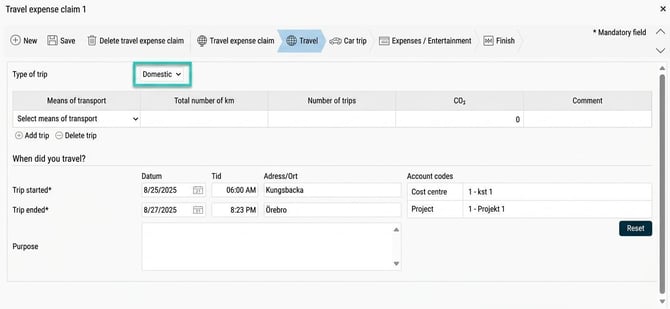
Start by entering the length of the journey and specify a purpose. Depending on the system settings, you may also need to enter the visited address or city. Here, you also enter any account codes.
Each transaction can be split across account codes. This means you can assign a transaction a different account code than the main account code of the travel expense claim. Account codes inherited from the main account code appear in grey italics. If you change an account code, the text turns black.
Under Meals & Accommodation you specify how each meal was paid for. If the suggested option is incorrect for any day, you can edit this in the respective dropdown.
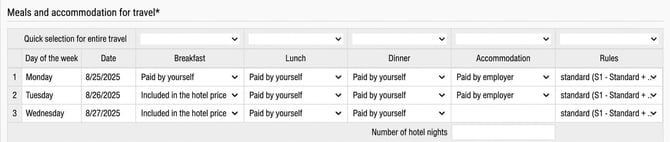
If all suggested meals are incorrect for the entire journey, you can use the quick option at the top to change the whole column at once. In the column Accommodation you specify how any overnight stay was paid for.
The last column is only used if you need to change subsistence allowance rules so that the system can calculate the allowance correctly.
International
When you select Travel you can also register an International journey.
When you register an international journey, the process depends on your base country in the system.
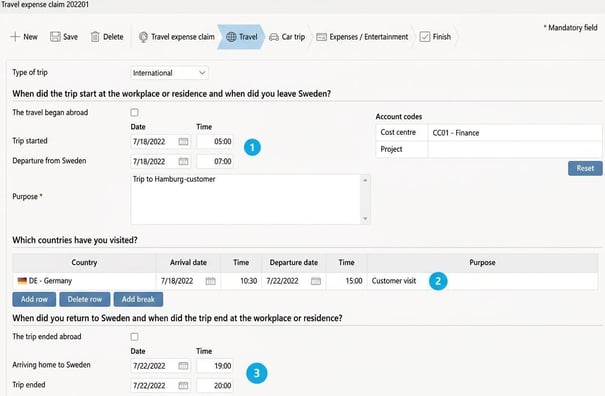
Register an international trip with Sweden or Finland as your base country
1: Enter when the trip started and when you left the country.2: Specify which country you visited and the duration of your stay.
If you visited multiple countries during the same trip, you can add more rows by clicking Add row.
3: Enter when you returned from abroad and when the trip ended at your workplace or residence.
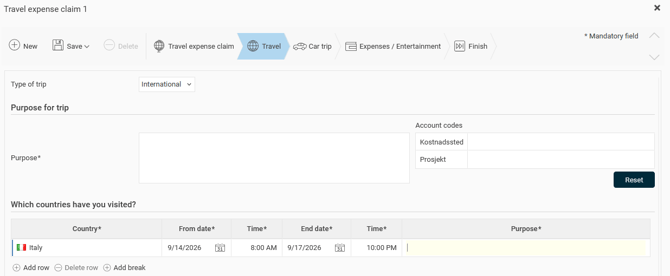
Register an international trip with Norway or Denmark as your base country
1: Specify which country you visited and the duration of your stay.2: If you visited multiple countries during the same trip, you can add more rows by clicking Add row.
Please note! Remember to always specify all times in local time. This is necessary for the system to make a correct subsistence allowance calculation.
Please note: This article is AI-translated. This means that linguistic errors or misunderstandings may occur.