
Note: This article applies to the module Flex HRM Analysis for payroll mapping which will reach End of Life on 30 June 2027.
Would you like to learn more about our new module Flex HRM Pay Equity Compass, you will find the relevant articles here.
Analysis

In the analysis to detect any unfair pay differences, you have three views to start from: Equal work, Equivalent work and Lower salary higher valuation.
To make it easier to focus on just the information you need in your analysis, you can do the following in all three analysis views:
-
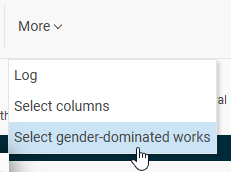
Select gender-dominated works You do this under More.
-
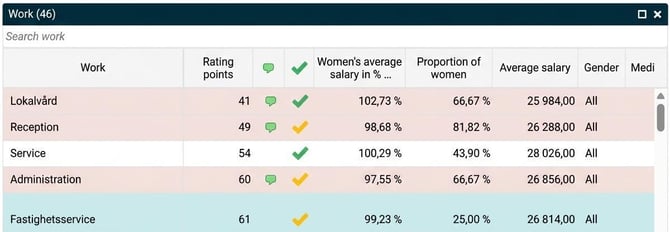
Drag and resize the widgets You can change the size of the widgets in the view by selecting and dragging between Work and Employments, or vertically between Work/Employments and Graphs. This decreases or increases the size of the works shown.
-
Hide/Show graph/employee/work You hide or show a graph, employee or a work using the options in the top right corner of the view
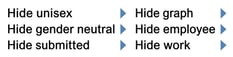
or by using the icons on each widget to enlarge or hide.

-
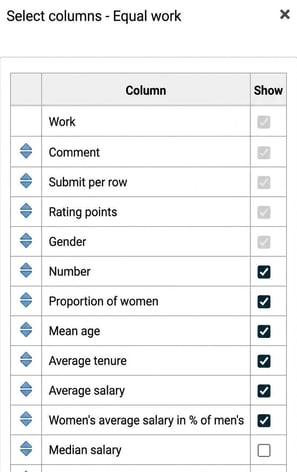
Select columns In the view, under More you can choose which columns to display. Depending on the view, you will have different options.
You make your selections by ticking the columns you wish to show. Rearrange their order by dragging and dropping with the blue arrows on the left. The columns with greyed-out ticks must always be shown.
Good to know: Your settings are saved for all who work in payroll mapping anlysis and will also be carried over the next time you create a new one.
- Submit an entire view You submit an entire view by selecting Submit in the menu bar for each respective analysis view. You can also remove the submission. If you remove the submission for a view, it will also be removed from later views in the flow. after in the process.
Analysis - Equal work
In this view, you should use the data presented to analyse one work at a time.
The aim is to detect wage differences for employees in equal work, that is, where the duties are the same or very similar. If salaries are lower for women than men, the pay gap must, by law, be analysed. You also have the option here to analyse any pay differences regardless of gender.
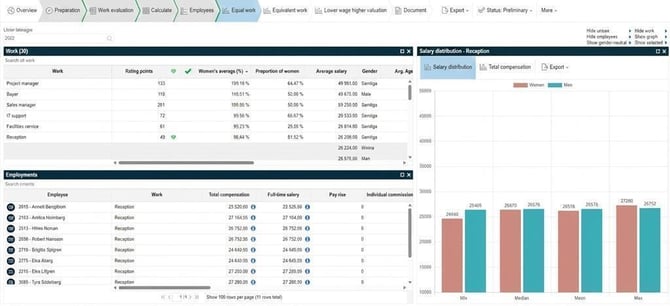
In this view, according to law, single-gender works do not need to be analysed, which makes it possible to hide such works in the view. To help you focus on just the information you need for your analysis of equal works, you can choose from the following in the top right of the view:
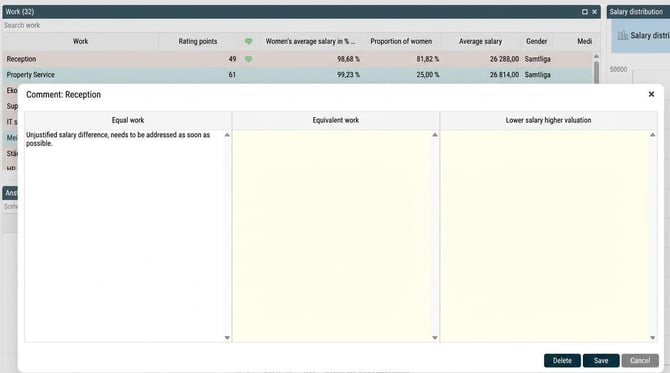
You can write a comment per work by clicking in the comment column (click on the comment icon that appears when you hover over the column). You can also see if someone has written anything for the same work in one of the other two views.
In addition to submitting an entire view, you can choose to submit each work individually.
Submit by selecting Submit or Submit with action (click the tick that appears when you hover over the column). You can also add a comment, for example what action needs to be taken. Green tick means that the work has been submitted but does not require any action and yellow tick means the work has been submitted but requires action.
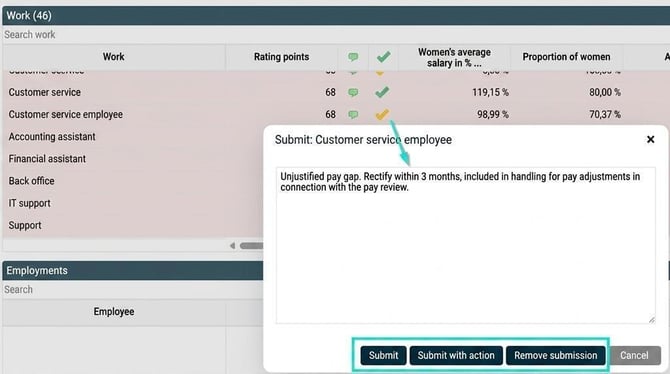
You can also choose to remove submission if you change your mind.
Analysis - Equivalent work
In this view, using the data presented, you are to analyse a group at a time. Each group contains two or more equivalent works, i.e. works that have received nearly the same rating points and are thus considered to have equal value according to the work evaluation carried out. There may be different duties in the different works within a group, but the works place equivalent requirements on the employees in terms of criteria such as responsibility, effort, working conditions, knowledge and skills.
The aim is to detect and address unjustifiable pay differences for employees in equivalent works, i.e. where working conditions are equally valued. If salaries are lower among works that are (or are typically considered) female-dominated than among non-female-dominated works, the pay gap must, by law, be analysed. If the pay difference cannot be explained by objective reasons, it must be rectified. You also have the option here to analyse potential pay differences irrespective of gender.
To help you focus on just the information you need for your analysis of equivalent works, you can also choose from the following in the top right of the view:

If you hide not marked works, you will only see those works in a group that have been ticked. For the following group, all works except Electrician and Supervisor would be hidden:

You can write a comment per group by clicking in the comment column (click on the comment icon that appears when you hover over the column). You can also see if anyone has written anything for each work included in the group.
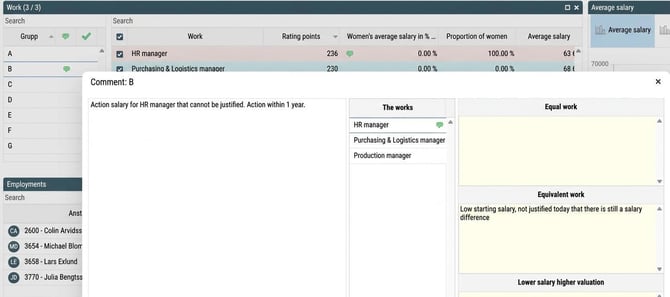
In addition to submitting an entire view, you can choose to submit each group individually. This column is always displayed but is not a requirement in order to submit the whole view. The aim is for it to serve as a support for what you have reviewed and what you have not.
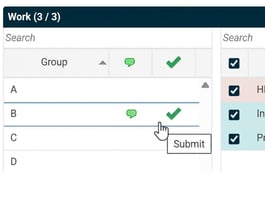
Submit by selecting Submit or Submit with action (click the tick that appears when you hover over the column). You can also write a comment, for example what action needs to be taken. Green tick means that the work has been submitted but does not require any action and yellow tick means the work has been submitted but requires action.
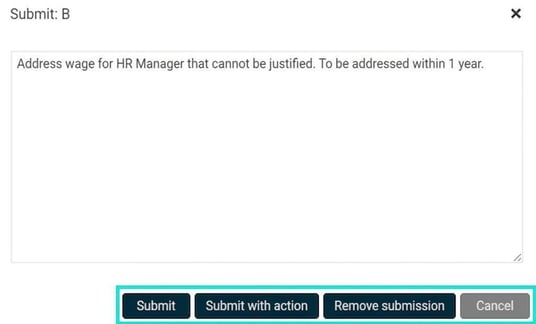
You can also choose to remove submission if you change your mind.
Lower salary higher valuation
In this view, using the data presented, you are to analyse the works that have a lower salary but higher rating points than other works.
The aim is to find hierarchical pay gaps so that action can be taken if necessary.
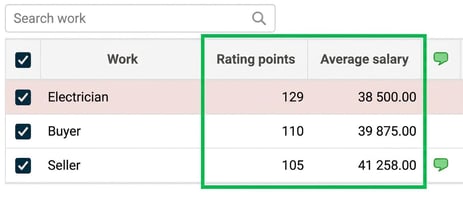
In the example below, we can see that Electrician has a lower average salary than Buyer, even though Buyer has lower rating points than Electrician.
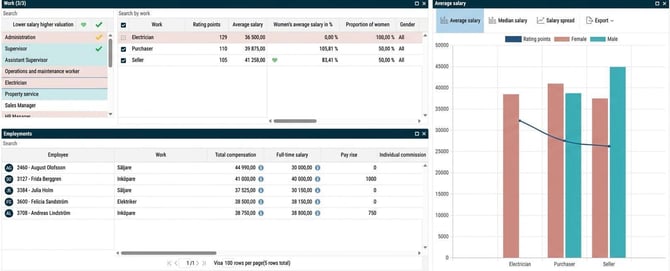
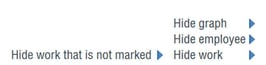
As an aid to focus on just the information you need in your analysis, you can select from the options below at the top right of the view:
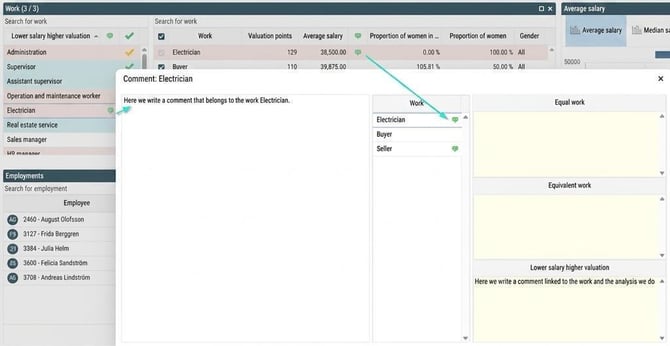
You can also write a comment for Electrician while analysing lower salary higher valuation. You can also view each work's comments from all three analysis views collected in one place.
In addition to submitting an entire view, you can choose to submit each work with a lower salary individually. This column is always displayed but is not a requirement to submit the whole view. The aim is for it to provide support for what you have reviewed and what you have not.
Submit by selecting Submit or Submit with action (click the tick that appears when you hover over the column). You can also write a comment, for example what action needs to be taken. Green tick means the work has been submitted but requires no action and yellow tick means the work has been submitted but requires action.
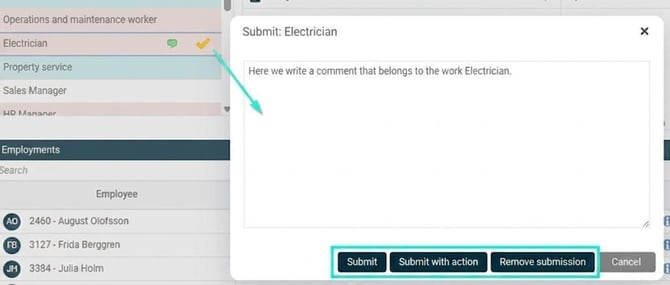
You can also choose to remove submission if you change your mind.
When you have finished all analyses, you submit the views

The analysis is complete and you can now extract the final report under Documents.
Please note: This article is AI-translated. This means that linguistic errors or misunderstandings may occur.