
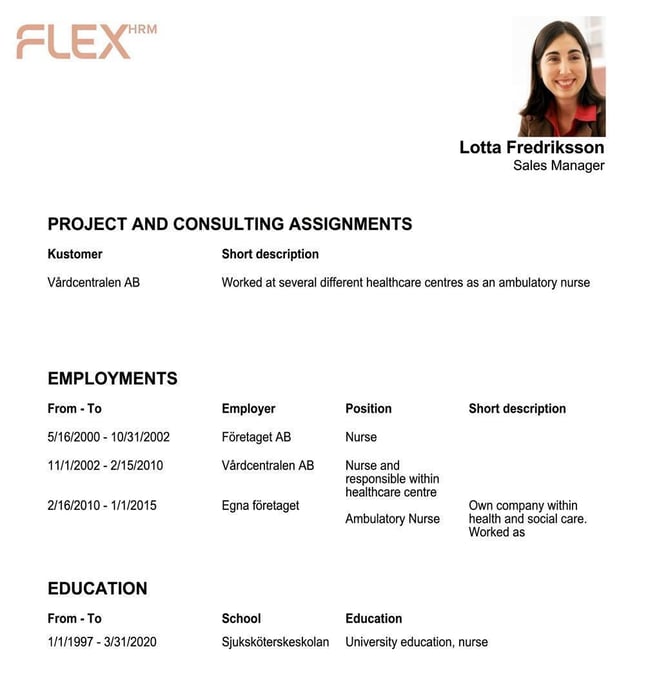
CV for experience, competences and/or previous projects.
Download HR-Forms - CV
If your company uses CVs for employees, they can be retrieved from the employee’s page in the Employee register.
Information for the CV is registered directly in HRM – either via customised tables or by adding competences and courses that you want to display in the CV.
When employee information is available in HRM, it is easy to generate a document of the CV type. CV has its own icon.

When downloading a CV, you can then decide whether it should contain all information or if you wish to exclude certain sections. Untick the boxes if a column or row should not be included in the CV.
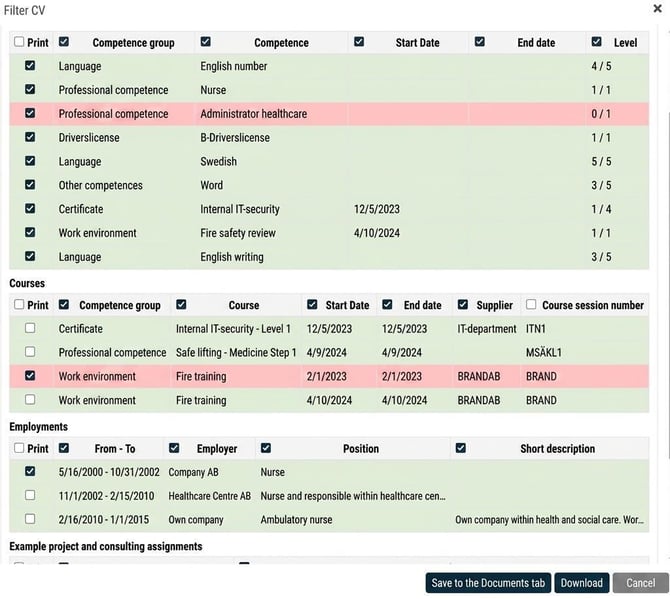
Click on Download to create the CV or save it directly to the employee’s Documents.
Related articles
How do you get a complete overview of which competences your employees have – and lack?
⚙️How do I create HR-Forms for CV in HRM Employee?
Please note: This article is AI-translated. This means that linguistic errors or misunderstandings may occur.