
The settings for sick children are only used in companies with home country Norway.
The settings for sick children are used to define how many days you can stay home with a sick child. The maximum number of days is shown in the employee register and it is not possible to save an absence if it means the maximum number of days is exceeded.
Settings for reason for absence
Under Settings > Time and Plan > Reason for absence you specify the absence type Sick children for the reason for absence that is to be used when staying home with a sick child.
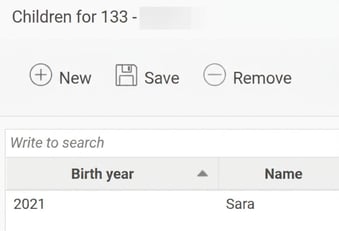
For the calculations to be correct, you need to set the reason for absence so that children are specified. The child is identified using year of birth, date of birth, or national ID number. This is necessary as calculations are based on the number of children and their ages.
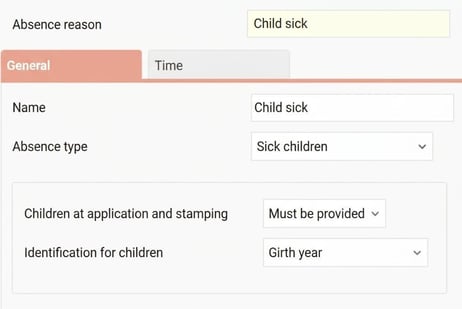
In the same view, you can, on the tab Time also tick Round off to half days in the self-notification view.
If the box is checked, a half day is counted if you are absent for up to half of the scheduled time for the day. If you exceed half of the scheduled time, it counts as a full day.
Om ruIf the box is not ticked, it is always counted as a full day, regardless of how much of the day you are absent.
This calculation of half days affects the panel Self-notification on the front page, the validation of absence registrations and the reminder for reached quota.
Settings for maximum number of days per year
Under Settings > Time and Plan > Time reports you set:
- Maximum number of days per year.
- Maximum number of days per year for more than two children.
- Extra days in the case of chronic illness.
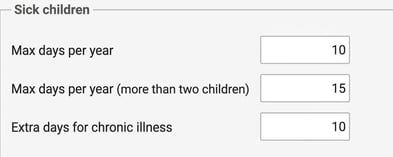
- How many days, weeks, or months after the start of employment it is possible to register sick children. You can also make this setting per time group or in the employee register under the tab Time.

Settings in the employee register
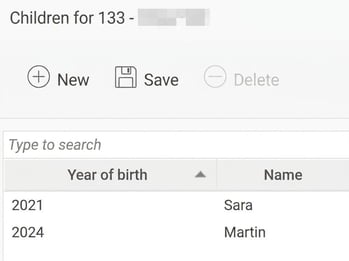
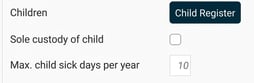
In the employee register, the tab Employee information shows the maximum number of days for each separate employee. The value is calculated automatically based on the employee’s child register and the settings under Settings > Time and Plan > Time reports.
- The days apply for children up to and including the calendar year in which they turn 12.
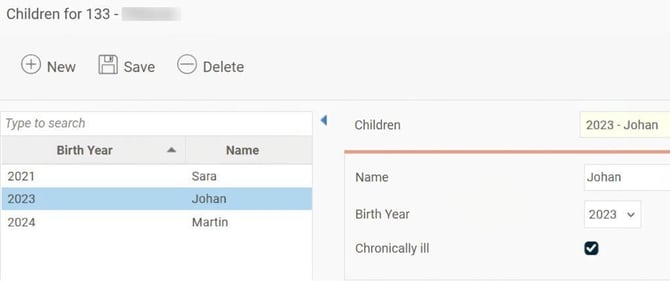
- If you tick Chronic illness in the child register, the age limit is raised to 18 years.
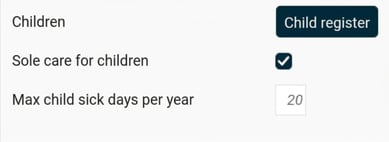
- If you tick Single parent the maximum number of days per year is doubled (this does not apply to extra days for chronic illness).
- You can manually specify a value for the maximum number of days for sick children. A manually specified value takes precedence over the calculated value.
Example of calculation of maximum number of days
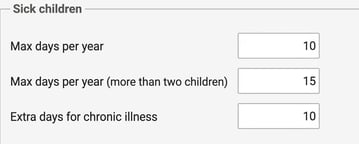
Let’s assume the company is set to a maximum of 10 days, 15 days for more than two children, and 10 extra days for chronic illness.
- An employee with one or two children has a maximum of 10 days.
-
-
An employee with three or more children has a maximum of 15 days.
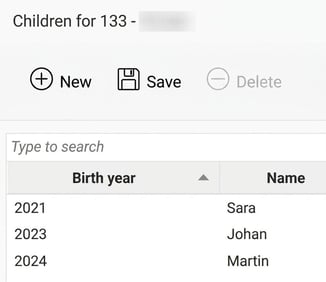
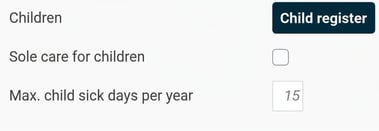
- An employee with three children, where one child is marked as chronically ill, has a maximum of 25 days.
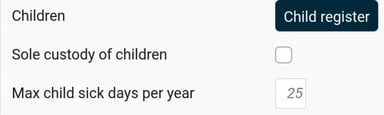
- An employee who is marked as a single parent and has one child has a maximum of 20 days.
-
Registration of sick children
The system automatically checks the rules when someone is registering an absence.
The days are counted per calendar year. Days that are counted are those that are scheduled. For example, if you are absent from Friday to Monday and have days off on Saturday and Sunday, two days are counted.
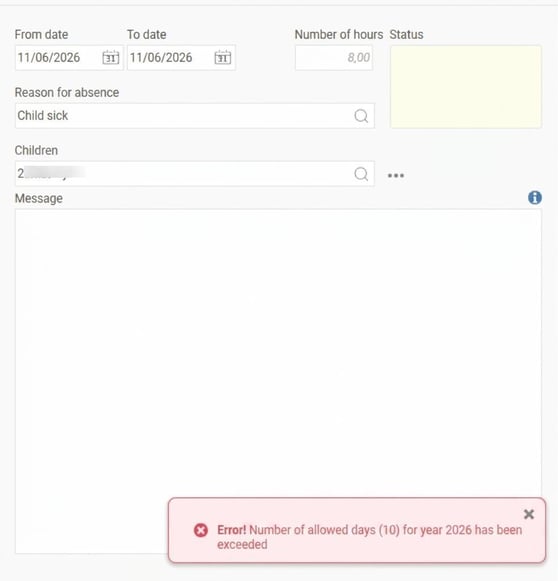
If you try to save an absence of the type Sick children before you have been employed for as long as the setting requires, or if you exceed your maximum number of days, the saving is blocked and you will receive an error message.
Reports and export
You can follow up and export information about sick children:
- Export template Employees/Users: Can be used to export values for the maximum number of days for sick children.
- Report generator: Using the data source Time transactions you can extract values for the number of days taken out and the number of remaining days for sick children.
With the data source Employees you can extract values for the maximum number of days for sick children.
Panel on the front page
The panel Self-notification shows absence of the type sick children. Read more about the panel in this article: What is displayed in the Self-notification panel on the front page?
Reminder when quota is reached
A reminder can be sent out when the maximum number of days for sick children is reached. You can read about the reminder in this article: How does the reminder for Sick children - reached quota work?
Please note: This article is AI-translated. This means that linguistic errors or misunderstandings may occur.