
Status of staff appraisal and form template

All staff appraisals

Staff appraisals carried out 12 months back

Staff appraisals for all employees with HR Manager as immediate manager

Staff appraisal to be carried out

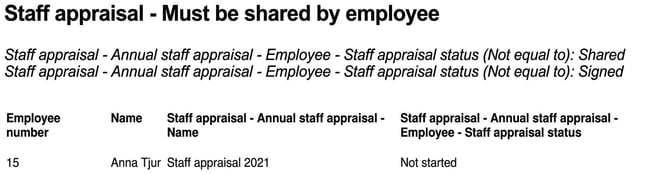
Staff appraisal to be shared
Example of a report for staff appraisal
Status of staff appraisal and form template
The purpose of this feature is to allow you to follow up the status of staff appraisals and forms via the report generator. This could mean getting a list of those who have not yet booked their staff appraisals as planned or checking that all managers have completed their staff appraisals. In other words, it is not about getting responses from staff appraisals/forms.
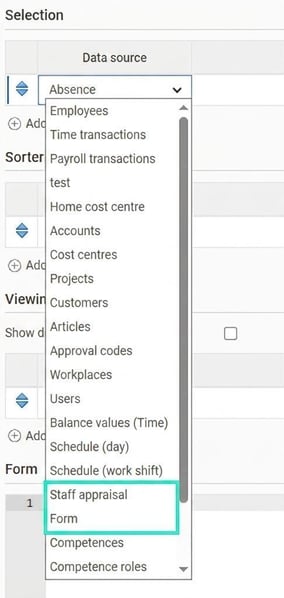
In order to follow up the status of staff appraisals and forms, these two are available as data sources (or actually as sub-sources of the Employees data source) in the report generator.
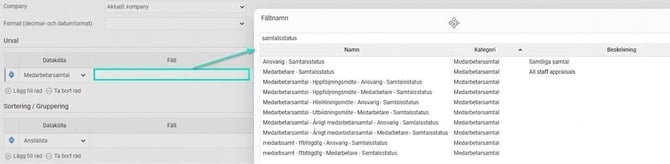
There are fixed fields, described with All staff appraisals/All forms under Description, which give information from all appraisals/forms. Other fields are dynamic and retrieve information from the respective specific template. For the dynamic fields, the page content and the name of the staff appraisal/form are shown, that is, as it is named under Settings > Personnel > Employee register - additional fields.
In the example below, you can see appraisal status for responsible and employee for both the
fixed and dynamic fields:
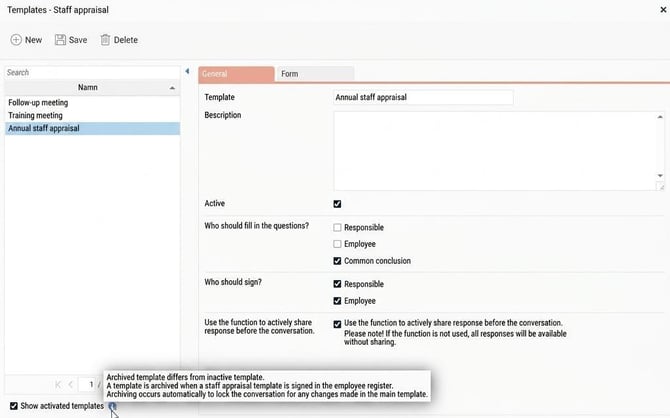
Archived templates
Templates that are archived, that is, where there is an appraisal that has been signed for a certain template, are merged with the active template. This allows you to obtain results from all appraisals with the same template.
Examples of templates under Settings > Personnel > Employee register - additional fields:
All staff appraisals
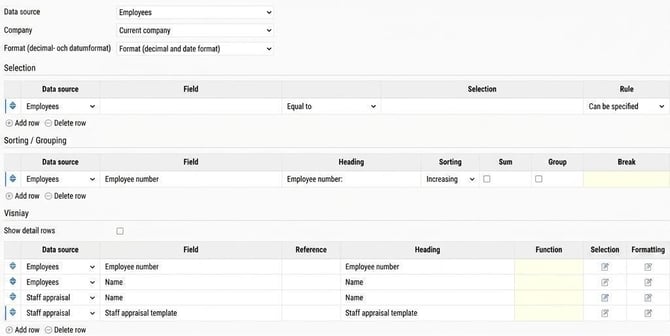
If no selection has been made in the report generator and you choose to display staff appraisals under Display you will see all employees and all staff appraisals for those employees who have any. The same applies to forms.
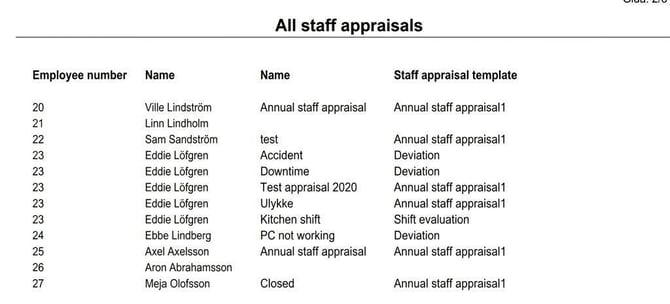
To only show which appraisals are to be held from a certain date onwards, you add a date interval:

To only show open appraisals that are planned/have a time for staff appraisal, add a selection for this:
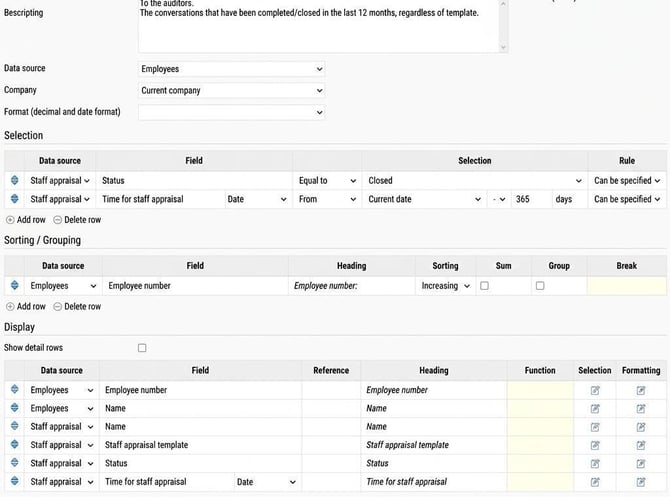
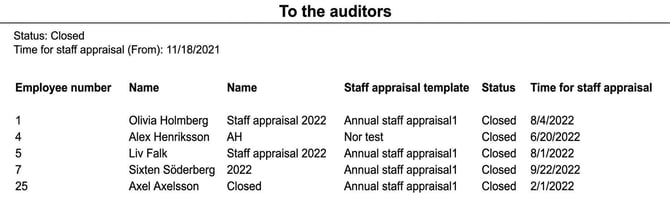
Staff appraisals carried out 12 months back
Here you can see which staff appraisals have been closed during the last 365 days.
Staff appraisals for all employees with HR Manager as immediate manager
Here you can see all employees who currently belong to the HR Manager and all their appraisals if they have any:
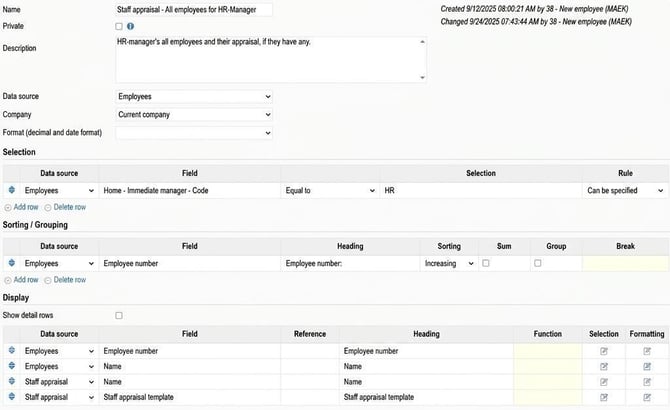
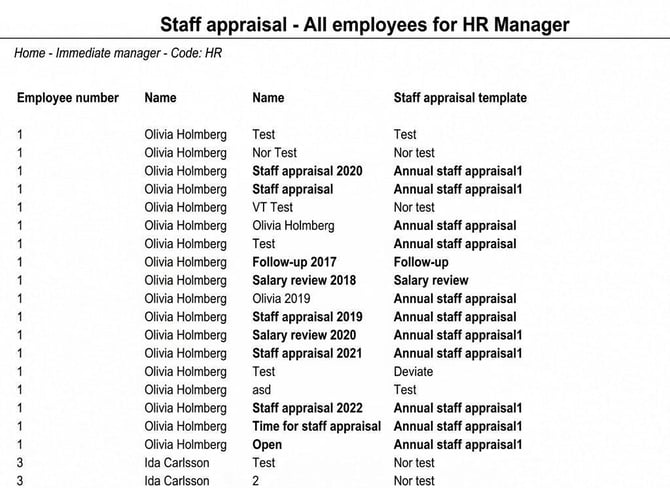
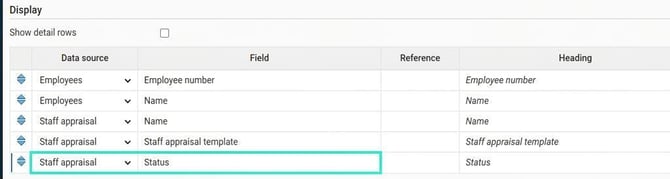
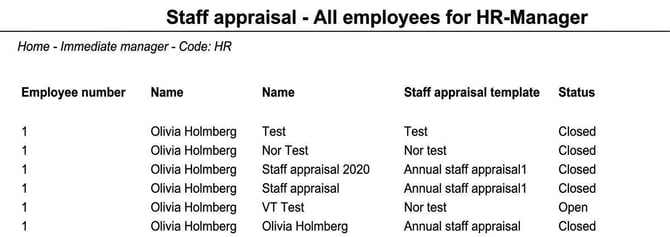
If you want to see which appraisals are open or closed, add Status under Display:
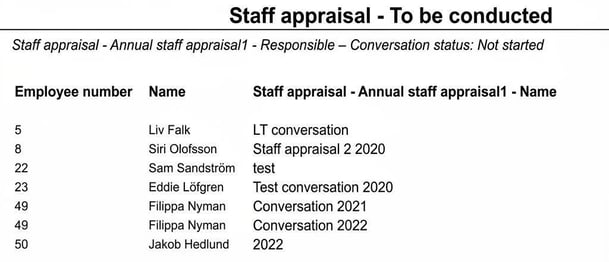
Staff appraisal to be carried out
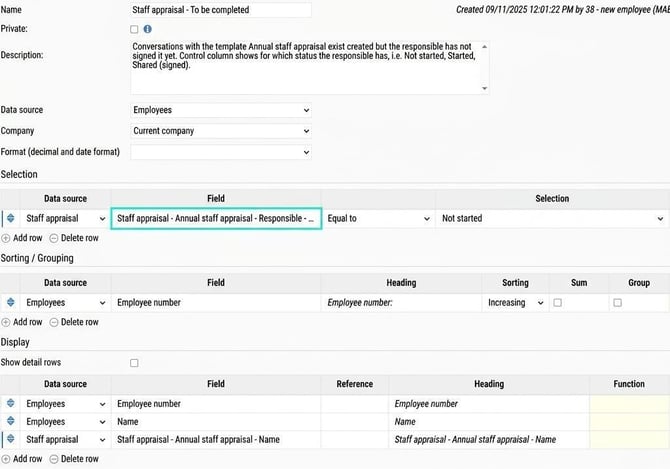
Here you retrieve appraisals that have been created but not signed by setting the selection Staff appraisal > Annual staff appraisal1 > Responsible > Appraisal status:
Staff appraisal to be shared
Where appraisals have been created for the employee but the status is not yet shared or signed:
Related articles:

Report generator – What is the report generator?

Report generator – How do I schedule exports of reports from the report generator?
Please note: This article is AI-translated. This means that linguistic errors or misunderstandings may occur.