
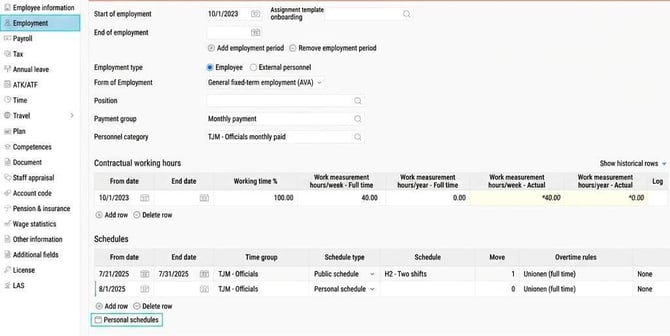
In some cases, you may want to create personal schedules. Personal schedules can be created on the Employment tab Employees or in the view Default schedule.
Employees > Employment
- Go to Personal schedules.
- Create the personal schedule by specifying code, name, and number of days in the default schedule.
If the number of days is more than 7, you must specify the date for schedule start for when the system should apply the schedule. The date can be before the start date for when the schedule will actually start for the employee.
You can read more about the date for schedule start in the article What does the date for schedule start mean?
In our example below, a personal schedule is shown with a schedule length of 7 days and a day schedule on Mondays with schedule time at 08:00 (start time) - 17:00 (end time) and a 60-minute break.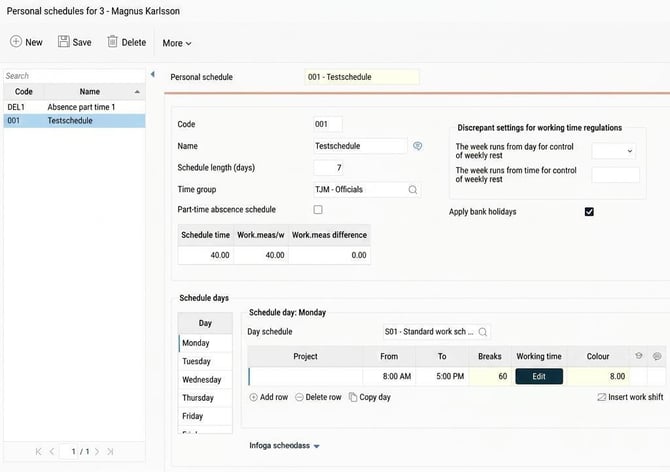
- Link the schedule to the employee. This is done on the Employment tab, under Schedules (see the first image in the article above). Specify date, time group, type Personal schedule, and select the schedule you have created.
Default schedule view
- Click on the schedule overview and end the period that should be completed.
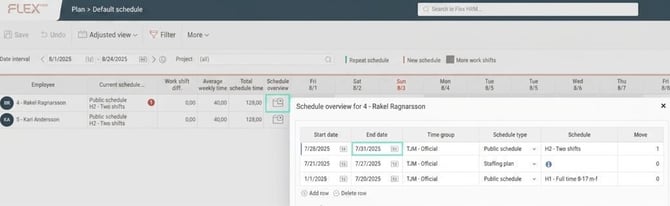
- Create a new schedule by double-clicking on the first day of the period. A text box will appear:
"Current person has no schedule. Do you want to create a personal schedule?" Respond Yes.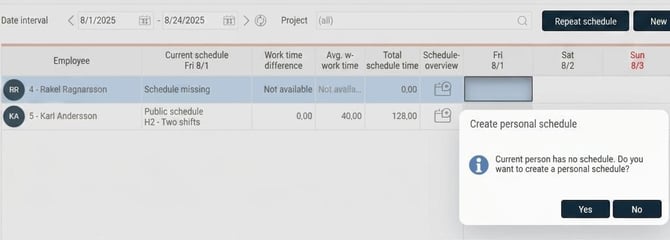
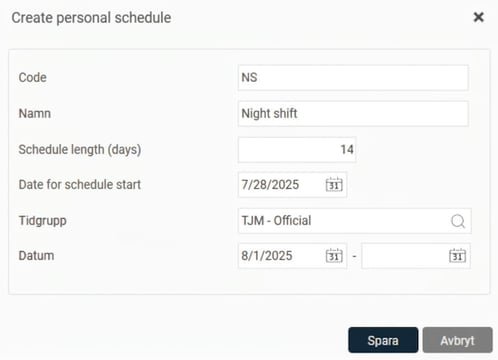
- Specify code, name, number of days (schedule length), date for schedule start (if more than 7 days), time group, and date in the default schedule period.
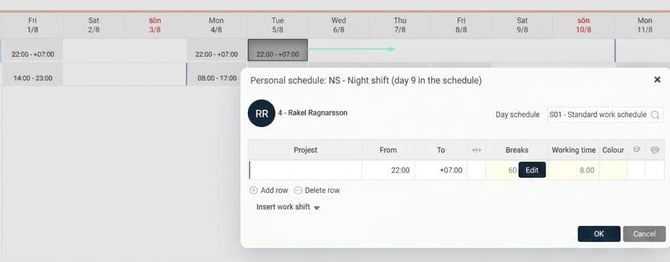
- Click on the days in the default schedule view and enter working hours. You can copy and move days by dragging and dropping.
-
Check for differences in work measures and adjust if necessary.
Related articles:
How do you create a public schedule?
What does the date for schedule start mean?
Please note: This article is AI-translated. This means that linguistic errors or misunderstandings may occur.