
Public schedule
Assign public schedule
Shift public schedule
Overview
Public schedule
Once a day schedule has been created, you can link this to a public schedule. Several people can use the same public schedule.
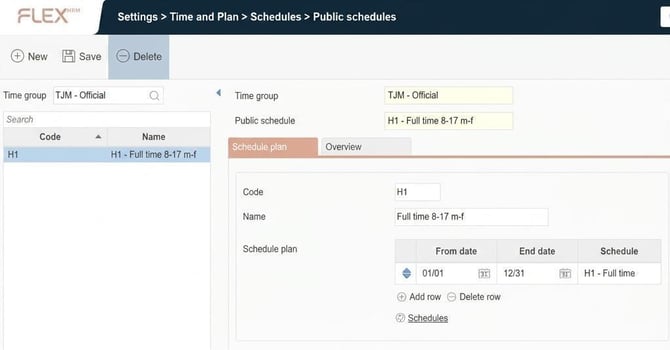
- Create a new public schedule by entering code and name and save.
- You can then create a schedule within the public schedule (a so-called schedule cycle or part schedule).
- Click on Schedules.

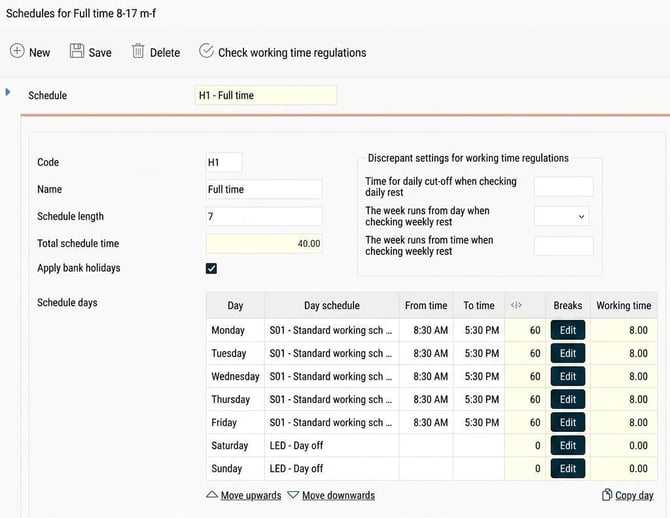
Discrepant settings for working time regulations can be made here if required. The settings shown in the image are described below.
- Code – Choose code for the schedule.
- Name – Name the part schedule clearly.
- Schedule length – Specify length in days. If the schedule should run over 2 weeks, enter 14 days.
- Date for schedule start- Displayed when a schedule length other than 7 is specified, in order to define when week 1 in the schedule occurs.
You can read more about the date for schedule start in the article What does the date for schedule start mean? - Apply bank holidays - Determines whether bank holidays set up (Settings > Time and Plan > Schedules > Bank holidays) should adjust the schedule, or if these should be ignored for the employees who use the schedule.
- Schedule days - Specify the daily schedule for each day in the cycle. The fields in yellow can only be changed via the button Edit or by changing the italicised sections.
You can copy a daily schedule to other days. For example, you can set up a daily schedule for Monday and change a time, then click on Copy day and specify that Monday's schedule should apply for Tuesday - Friday as well.
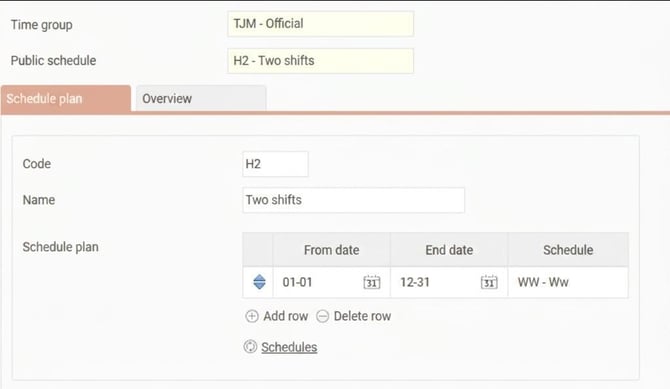
Then link the schedule cycle to the public schedule for the correct period. If you have several different schedules throughout the year, connect these to different periods within the year. This is done in the Schedule plan. Enter From date, End date and specify which schedule applies for the current period. Specify dates with month+day for it to run across year ends.
In the image below the schedule cycle applies 01-01 - 12-31, which means it runs all year, every year.
Assign public schedule
Under Employees, the Employment tab contains a table for Schedules. This is used to assign a public schedule to employees.
Shift public schedules
On the employee record it is possible to shift public schedules, meaning that several people can work on the same public schedule but start in different weeks so only one public schedule is needed. This is done in the column Move under Schedules.
You can read more about shifting schedules in the article What does the date for schedule start mean?

Overview
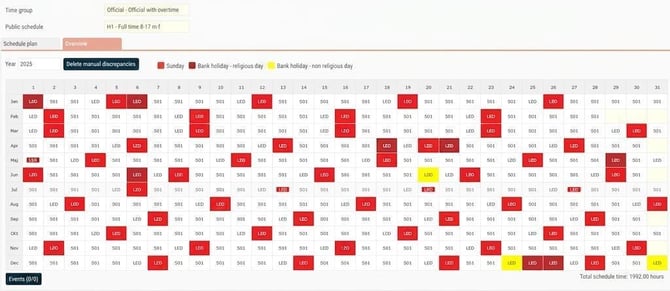
Under Overview you can see the public schedule you have built. Here you can also create events and delete manual discrepancies.
Related articles:
How do you set up a daily schedule?
Bank holidays - How do you set up discrepant days?
What does the date for schedule start mean?
Please note: This article is AI-translated. This means that linguistic errors or misunderstandings may occur.