
Bank holidays are used to set up how schedules automatically handle deviating days during the year, for example if they should change to day off on bank holidays falling on workdays. For a complete walkthrough of the settings, we recommend reading the article Bank holidays – How do you set up schedule for deviating days?
What does Dis. time?
Ticking Dis. time in the view Bank holidays means that times you have specified manually in a schedule will continue to apply, even if the rest of the schedule is overwritten by the bank holiday.
-
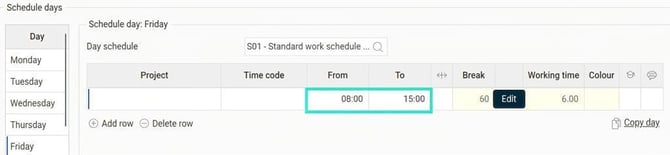
Manually specified times are shown as black.
-
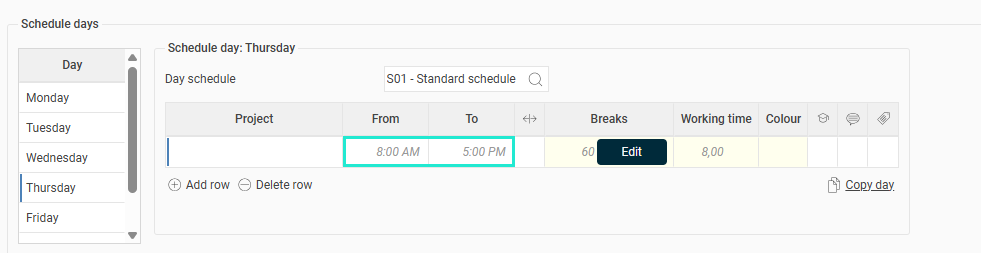
Times inherited from a basic day schedule are shown in grey.
Example
Let's use an example to explain how Dis. time works:
-
Employee 4 has a personal schedule where they on work days use the day schedule S01.
-
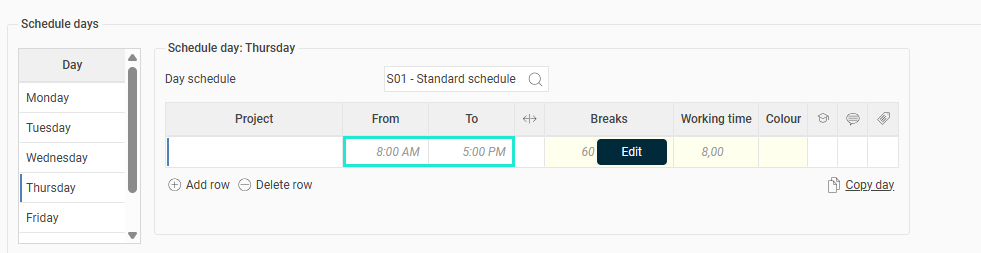
Day schedule S01 has basic working time 08:00–17:00, and this is valid for employee 4 Monday to Thursday.
-
On Fridays they process 08:00–15:00. Instead of creating a separate day schedule, Male chose to use S01 in the personal schedule, but manually change the working time on Fridays to 08:00–15:00.
In the Bank holidays view we have set up the following:
-
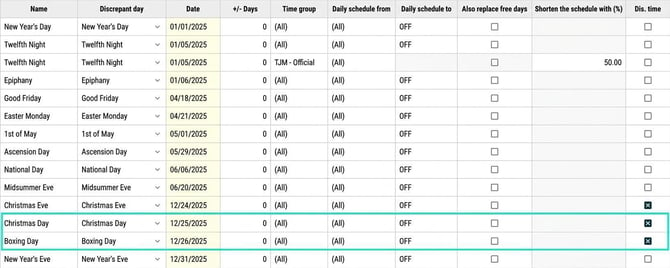
On Christmas Day and Boxing Day the day schedule should be changed to LED (Day off).
-
The setting Dis. time is ticked.
Result: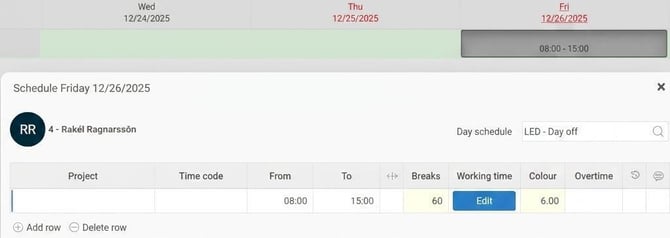
-
Christmas Day falls on a Thursday. On Thursdays, employee 4 inherited the times from the day schedule (grey times).
-
The day schedule changes to LED and employee 4 is fully off.
-
-
Boxing Day falls on a Friday. On Fridays, employee 4 has manual times (black times): 08:00–15:00.
-
Since Dis. time is ticked, they get the day schedule LED with the manually specified working time 08:00–15:00.
-
What happens if Dis. time is not ticked?
Had Dis. time not been ticked, they would have switched to LED without working time (fully off) both days.
In the example, we have a personal schedule. The same principle applies if you use a public schedule with manually specified times.
Please note: This article is AI-translated. This means that linguistic errors or misunderstandings may occur.