
This product is under development. The content of this article will be updated as new changes occur.
Once you have finished your preparations – such as setting up job profiles, conducting work evaluation, and making sure your employee list is up to date – you are ready to begin your Pay equity navigator.
When it’s time for the annual pay equity navigator, you can easily start the work directly in the system.
Start Pay equity navigator
Working with the Pay equity navigator
Document
Complete Pay equity navigator
Start new Pay equity navigator
Go to Pay Equity Compass > Pay Equity Navigator
Click on Create analysis under the heading Current analysis
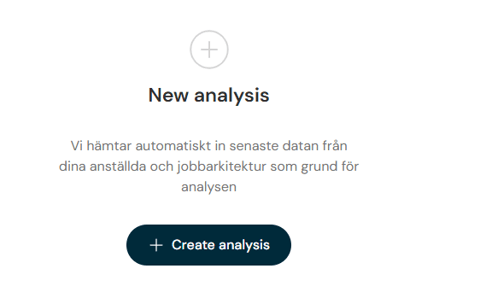
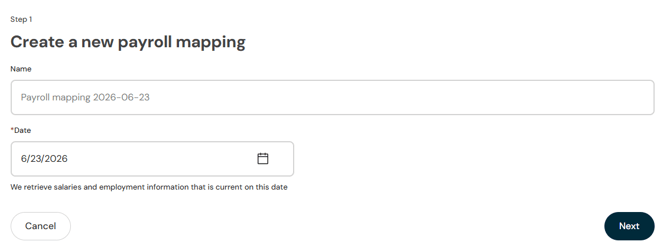
You can now specify your own name for the payroll equity navigator and adjust the date if needed.
In step 2 you can audit the material. Click on Next.
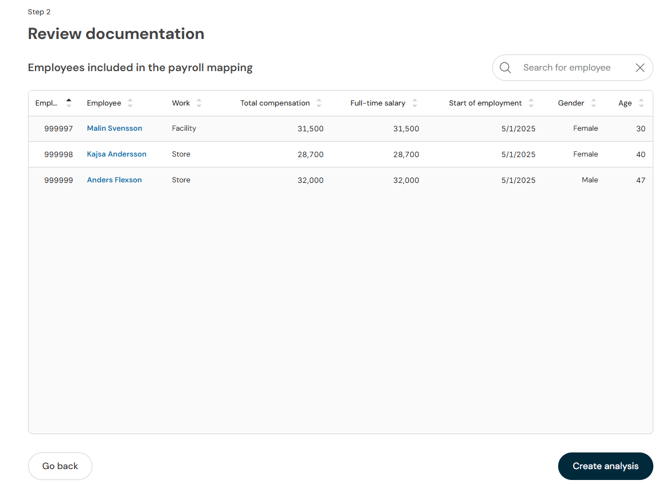
When you create the analysis, it fetches all current employees. Once the data is loaded, you will see an overview for the year’s analysis.
Continue by navigating to the various analysis views using the menus at the top.

Which employees are included?
All employees with Employment type Employee (exclusive CEO) are included in the pay equity navigator. Individuals with Employment type External personnel in the Employment menu in HRM are not included in the analys.
Please note that Employment type External personnel also affects other functions in HRM, such as Payroll and certain statistics.
Who is CEO in the company is specified in Company under the setting.
In the view for Employees you check that you have all necessary information on the employees before starting the payroll mapping.
How is period of employment calculated in the pay equity navigator?
The principle used to calculate number of days to years is
(All periods of employment’s number of calendar days) / 365.25
Flex HRM then rounds down.
Example
3.5 years = 3 years
2.92 years = 2 years
Years of employment are always rounded down in the pay equity navigator.
If important parts are missing, the function to create the analysis will not be available. You must then complete the data before the analysis can be created.
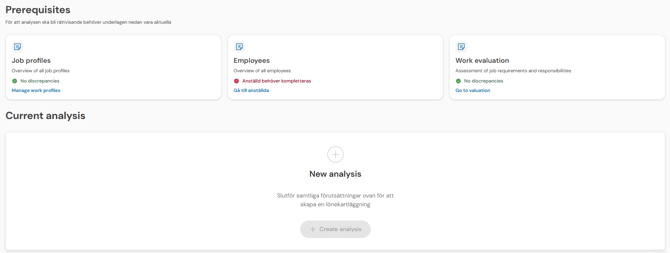
If you click Employee needs to be supplemented, the list of employees included in the salary survey is displayed. By default, it loads the employees who need additional information before the analysis can be created, but you can click Show all to display all employees included in the Pay equity navigator.
When you start a new pay equity navigator, your settings are saved. This allows you to retroactively view the conditions that applied when the review began and verify the basis of the analysis, even if you have updated your settings later. Information regarding when the pay equity navigator was created, settings for intervals, salary supplements, variable remuneration, the factor plan, and job evaluations per job are saved and displayed in a PDF file under Attachments in the Documents & actions view.
Working with the Pay equity navigator
The Pay Equity Navigator Overview displays a summary of the review and the employees included in it.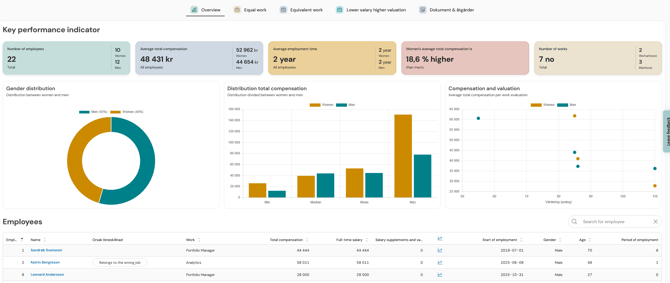
Edit Pay equity navigator
In the Pay equity navigator’s Overview you will find the option Edit under the three dots in the top right corner.
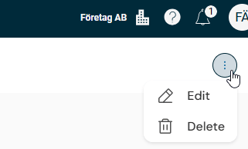
Edit can be used to recalculate and update the analysis in the pay equity navigator.
Read more in this article: Can I recalculate the analysis in Pay Equity Navigator?
How does the analysis work in the different views?
Once you have built up your job profiles and valued the works, it’s time to analyse wages. The analysis is divided into three different views, but they are structured in a similar way so you can easily recognise the format and know how to proceed.
A common feature for all analysis views is that we present the statistics in clear KPIs, tables, and graphs. The aim is to help you quickly pinpoint where wage differences occur between women and men and determine whether these are justified or not.
How to read the various views
Regardless of which analysis you carry out, you will find the following functions:
-
Summary of important KPIs: At the top of each view you see an overall picture of pay differences for the current group.
-
Individual KPIs: Beneath the summary you see a table and associated graphs.
- Detailed list: Beneath the KPIs you will find a list of the employees or job profiles included in the analysis.
Analysis and notes: At each grouping and employee you can leave a note. You can open notes from the icon in the top right, or in the list of employees/job profiles. Here you document whether a pay gap is objectively justified (for example, due to experience or performance) or if an action needs to be taken.
It is possible to specify multiple tags for objective pay difference.
Automatic tag
Employees who have an active base salary marked as Historical salary in the employee register are automatically tagged with Historically high salary for Reason pay difference when a new analysis is created.
For jobs that require a pay action, click Mark for action.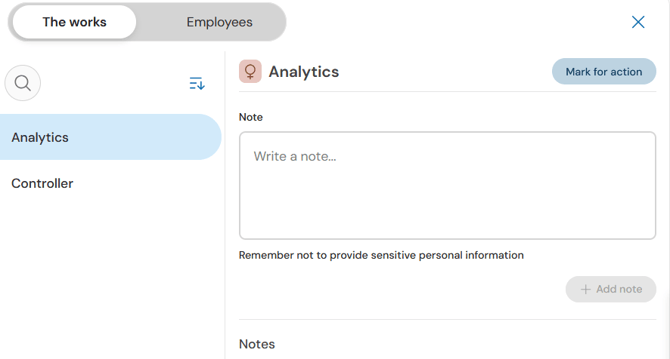
For employees who require a pay action, select a tag under Mark for action. When marking an employee for action, you can only use one of two fixed tags:
- Unreasonable pay difference: Used for individuals where the pay difference cannot be objectively justified.
- Belongs to the wrong job: Used for individuals who, during the analysis, turn out to be incorrectly classified in the job catalogue.
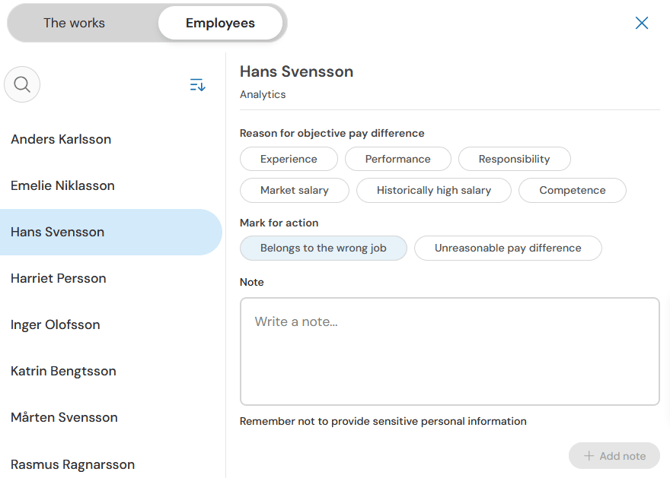
If you mark an employee or a work for action it will appear in the action list in the pay equity navigator’s Documents & actions. If you remove the action, the employee/work will be removed from the action list, and any changes made to the employee or work in the action list will also be removed.
In the action list, you can use the pencil icon to plan an action with a schedule, cost estimate, and responsible function. The responsible party does not need to be specified as an individual; it is a free-text field.
Action list items do not need to be resolved before closing the analysis. However, to close the analysis, every item must include a timetable, cost calculation, responsible function, and action description. Items lacking these will be tagged with Complete.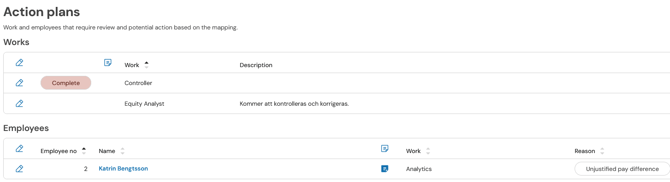
The three levels of analysis
The analytical work in our payequity navigator is divided into these three sections:
-
Equal work: Here we compare wages for employees who have the same or nearly identical duties.
-
Equivalent work: Here we analyse groups of works with different duties that are deemed to have the same value for the organisation.
-
Lower salary higher valuation: An analysis to ensure that salaries in female-dominated occupations are not lower than in those that are not female-dominated, even though the work requirements are higher or equally high.
We’ll now take a closer look at the different analysis views.
Analyse – Lower salary higher valuation
Document the pay equity navigator
In the Documents & actions view, you can use ready-made templates to create complete documentation for your pay equity review. Read more about this in the article How do I work with documents in Pay Equity Compass?
Complete Pay equity navigator
When this year's pay equity review is complete, you can click Complete pay equity navigator. This action cannot be undone.
In order to complete an analysis, all items in the action plan must have an assigned owner, a cost estimate, a deadline, and a description. If any information is missing, you will receive a notification when attempting to complete it.
Upon completion, a pop-up is displayed with information about the Pay equity navigator and any remaining tasks.
Completed analysis can be accessed from the home page in the Pay equity navigator view. You can click on a completed analysis to open it, but it is locked for editing. It is possible to delete a completed analysis.
Related articles
Get started with the Pay Equity Compass – Checklist
Please note: This article is AI-translated. This means that linguistic errors or misunderstandings may occur.