
To be able to import a file in the payroll process, an import template matching the file format must be set up. How to create an import template can be read here.
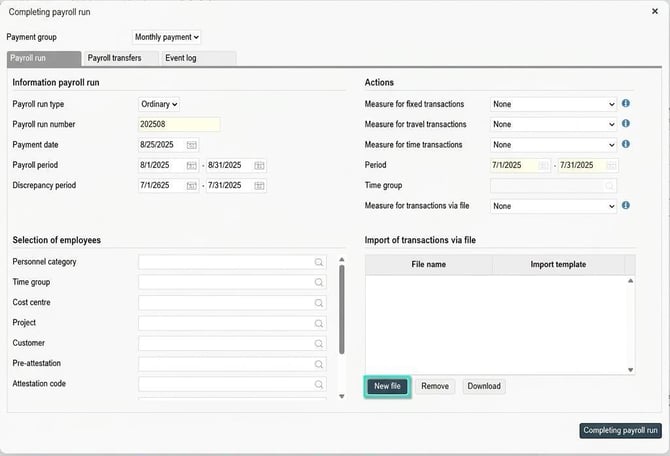
In Payroll > Payroll process, click on Payroll run and select Complete.
Under Import transactions via file, select New file.
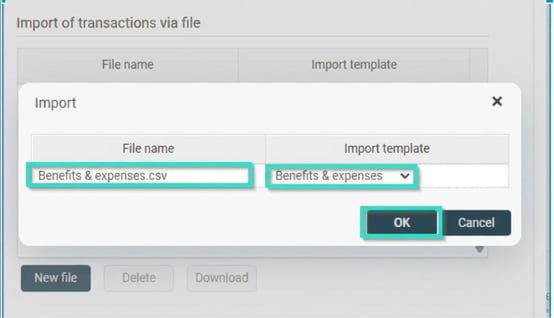
Select your file to import and the import template that applies to this file, click on OK.
The system performs a control of the file and you will receive a message in notes when this is done. If you receive an error message, you must first correct this (possibly adjust the file/ import template or other settings that may be required to import the file). Reverse out by closing the window and make your adjustments. Then repeat the steps above to select the file to import after adjustments.
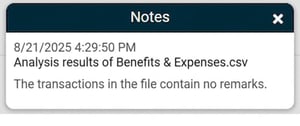
When you receive a message that the file contains no remarks, click on Completing payroll run to import the transactions.
Transactions imported via file are given their own icon, a document, in the 'Ursp' column in the payroll process.

Please note: This article is AI-translated. This means that linguistic errors or misunderstandings may occur.