
This product is under development. The content of the article is updated as new changes are made.
Work evaluation in Flex HRM Pay Equity Compass
Work evaluation is a systematic method for evaluating the requirements and level of difficulty of a job.
In Flex HRM, we use factor-based work evaluation. Based on the factor plan indicated under settings you now go through all the factors to assess the works.
The work evaluation is carried out in a dedicated view Pay Equity Compass > Work evaluation.
What does a work evaluation involve?
You create a work evaluation by analysing and grouping equivalent works based on qualification requirements and level of difficulty. In this step, you compare groups of works with each other to assess their relative value. The result forms the basis for the Pay Equity Navigator that follows and groups together works that are considered equivalent.
A work evaluation is a systematic way to compare different works within your organisation, regardless of whether they are in the same department or not. By assessing factors such as knowledge and experience, responsibility, effort and working conditions you can create a fair and transparent foundation for payroll. The aim is to ensure that equal work, or work of equal value, also receives equal wage.
This process helps you identify any unjustified pay gaps. By comparing group by group, you get an overview of your payroll and work structure before moving on to specific details. It provides a stable foundation for continued analysis and calibration.
Here's how to do your work evaluation
Go through all the factors andrespond to the questions for each work. On the left in the view, under Category, you'll see all the factor groups (for working conditions, for example).
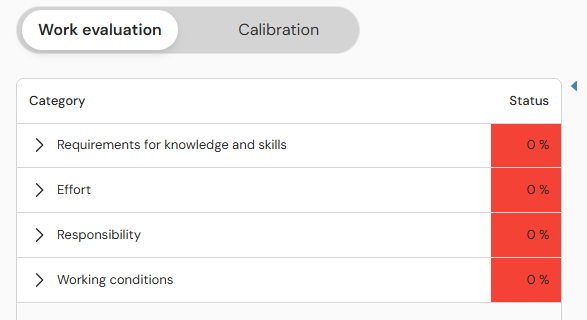
- Click on a category to see its factor field.
-
Select the factor field you want to evaluate. In the middle of the view, you will now see the heading, question and response options for the selected field.
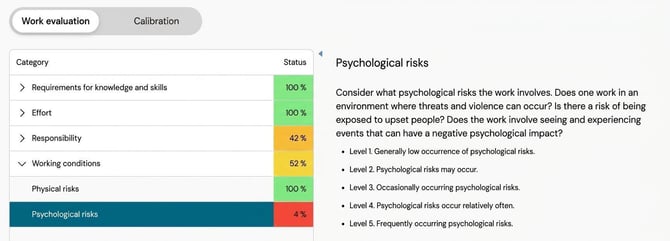
-
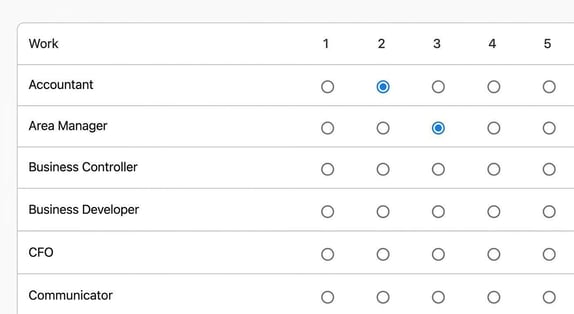
Fill in the response options for each work on the far right of the view.
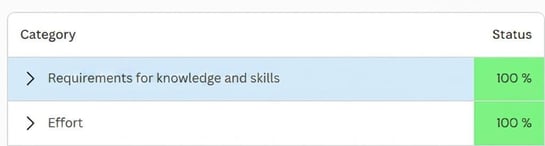
You can monitor the status of each category to see how far you’ve come. All categories must be at 100% status before you are fully done.
How do I calibrate the result?
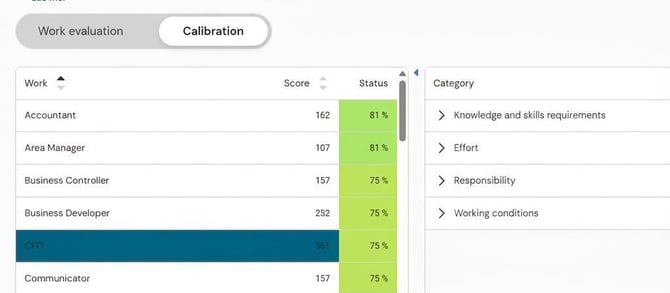
Under calibrationyou'll see what scores the responses in the work evaluation have resulted in. Here, you check that the evaluation feels fair and that no misjudgements have been made causing a job to end up with an incorrect score.
In this step, you get an overview of the result and see how various jobs and goups relate to each other. If you find that two jobs have received similar points despite not being equivalent, you can make adjustments directly.
To fine-tune a specific job:
-
Click on the work and the category you want to examine more closely.
-
You now see all evaluation questions for the individual work. You can change the evaluation fields for a specific question directly in the view.
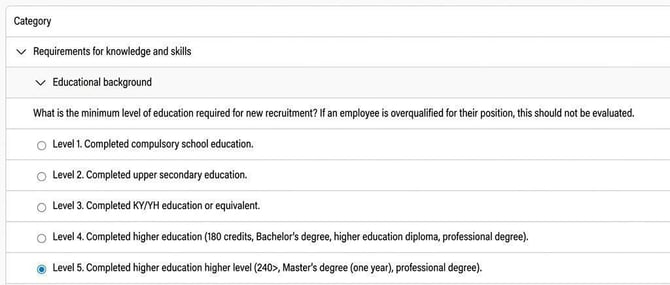
Unlike the work evaluation itself, where you compare a field at a time against all other works, here you can view and change all questions for a specific job at once.
Good to know! You can carry out new work evaluations on an ongoing basis throughout the year, for example if a new work is added. New or amended work evaluations affect an ongoing Pay Equity Navigator when you recalculate the pay equity analysis.
Related articles
Get started with Pay Equity Compass – Checklist
Start this year’s Pay Equity Navigator in Flex HRM Pay Equity Compass
Please note: This article is AI-translated. This means that linguistic errors or misunderstandings may occur.