
The settings for self-notification are only available in companies with home country Norway.
Self-notification means that an employee notifies their employer that they are sick and absent from work without needing to present a doctor’s certificate.
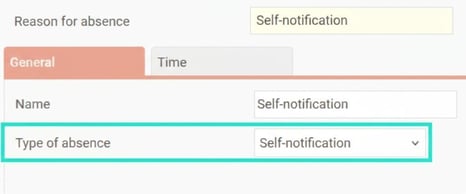
In HRM Time you can create reasons for absence with type of absence Self-notification.
You set the type of absence under Settings > Time and Plan > Reason for absence.
Rules on number of days and occasions
Under Settings > Time and Plan > Reason for absence, the tab Time settings for self-notification are available.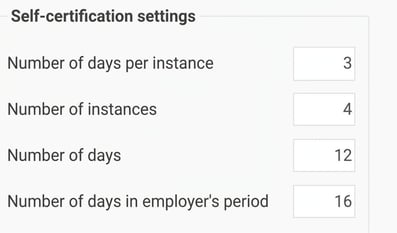
There you set rules for:
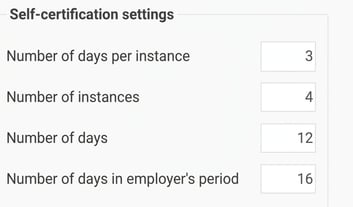
- Number of days per occasion: How many calendar days self-notification can be used per occasion.
- Number of occasions: The number of times self-notification can be used during a twelve-month period.
- Number of days: Number of calendar days self-notification can be used during a twelve-month period.
- Number of days in the employer's period: Here you enter the length of the employer’s period.
Within this period, the number of self-notification days must not exceed Number of days per occasion. If this quota has already been reached, you must accrue as many days as shown in the field before self-notification can be used again.
Example: The number of days in the employer period is 16. Self-notification on days 1–3 of a month means that the next self-notification can be registered on the 20th at the earliest, i.e. when 16 days have passed after day 3.
Rule for when self-notification can start to be used
The setting Self-notification is allowed from is used to set how many days, weeks or months you must be employed before self-notification can be used.

You can apply the setting:
- Per company under Settings > Time and Plan > Time reports
- Per timegroup under Settings > Time and Plan > Time groups
- Per employee under Employees > Time
Registration of self-notification
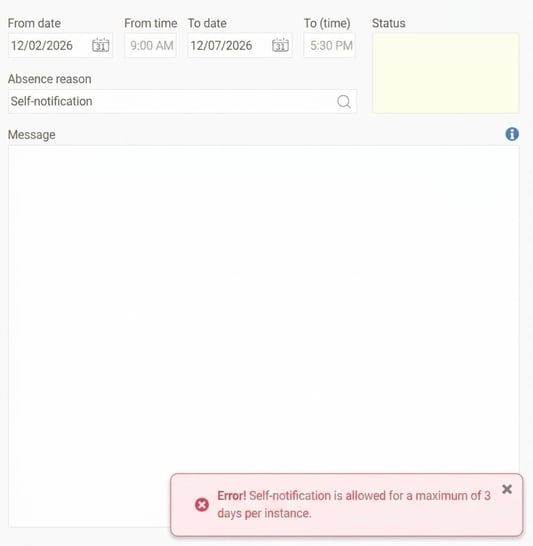
The rules act as a block during absence registration. You will receive information in an error message when you try to save an absence that is blocked by the rules for self-notification.
Example number of days per occasion
If the setting states that self-notification may be a maximum of three days per occasion, you cannot save an absence of four days.
Example number of days per occasion and number of days in the employer’s period
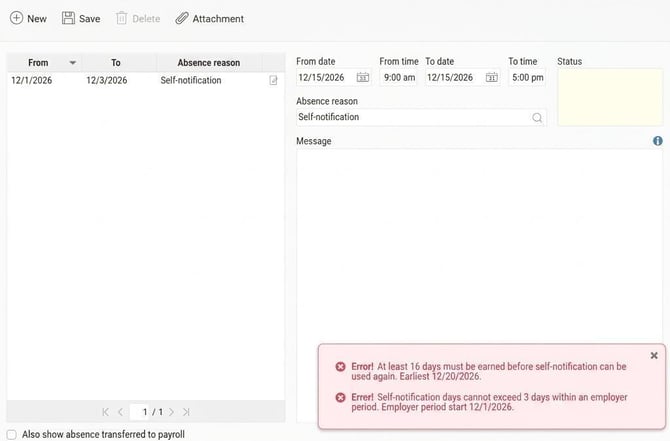
Number of days per occasion is 3 and number of days in the employer’s period is 16.
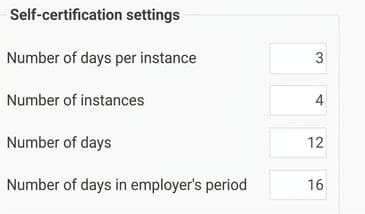
Self-notification is already registered 1–3 December.
I try to save self-notification 15 December.
I then receive two pieces of notice:
- The earliest I can register self-notification is 20 December, when 16 days have passed after 3 December.
- I am not allowed to register a fourth day of self-notification 1–16 December.
Example number of occasions
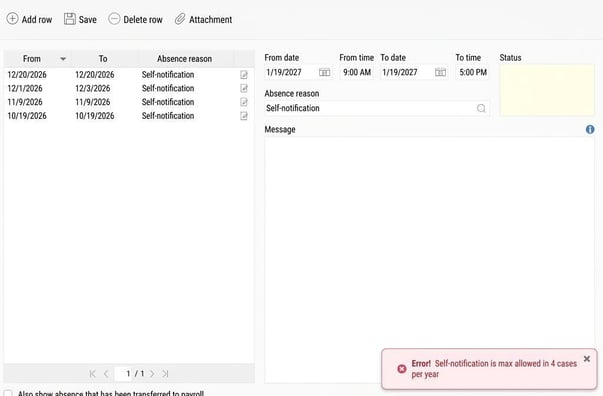
Number of occasions is set to 4.
I have had four self-notification periods during the autumn, totalling 6 days.
Number of days is set to 12, but I cannot save a seventh day of self-notification in January as it would exceed four occasions during the last year.
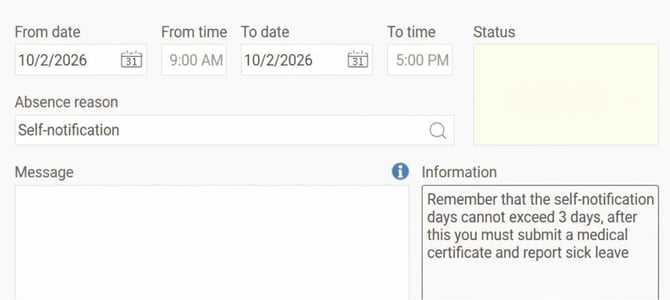
A reminder about the rule for number of days is always shown in the absence manager when you have selected a reason for absence with the type self-notification.
Good to know
- Twelve-month period: The rules apply per twelve-month period, not calendar year. What is checked is therefore not the self-notification you have had this year, but the self-notification you have had in the last year, counted back from the absence’s until date.
- Calendar days: The rules apply to calendar days. If the rules state self-notification can be for a maximum of three days, it does not mean three work days – non-working days are also included.
There are also rules that are not configurable, but that also prevent you from saving self-notification:
- The absence must have a from date and an until date.
- Self-notification cannot overlap absence part time with type of absence Sickness.
- After a period of sick leave, work must have been resumed for at least one day.
Related articles
What is shown in the Self-notification panel on the front page?
How does the self-notification reminder work?
SSB Self-notification – report for self-notified sick leave
Please note: This article is AI-translated. This means that linguistic errors or misunderstandings may occur.